How to block or allow countries on your radio (Access Control)
Access Control blocks listeners by country, by the IP location: a list of blocked countries or a list of the only allowed ones. See how to turn it on, choose the countries and the limits with VPN users.
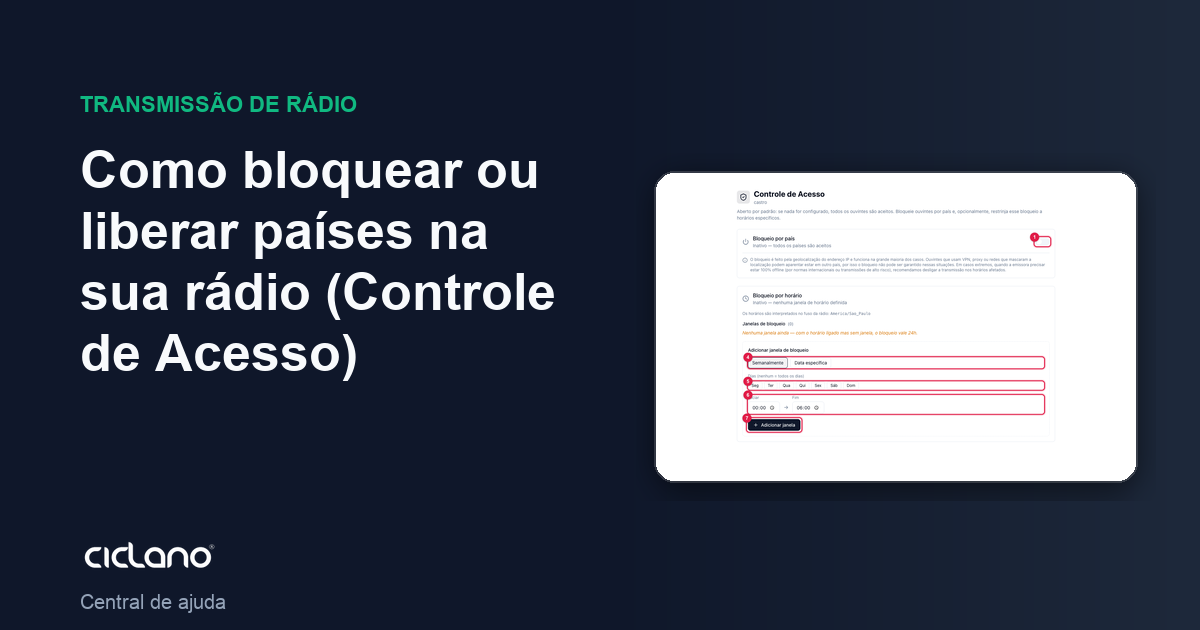
By default the radio is open: anyone, from any country, can listen. Access Control lets you block countries (for example, because of copyright or a restricted broadcast) or do the opposite: allow only some countries. Blocking uses the location of the listener's IP address.
Where it is: Applications › your radio › Access Control.
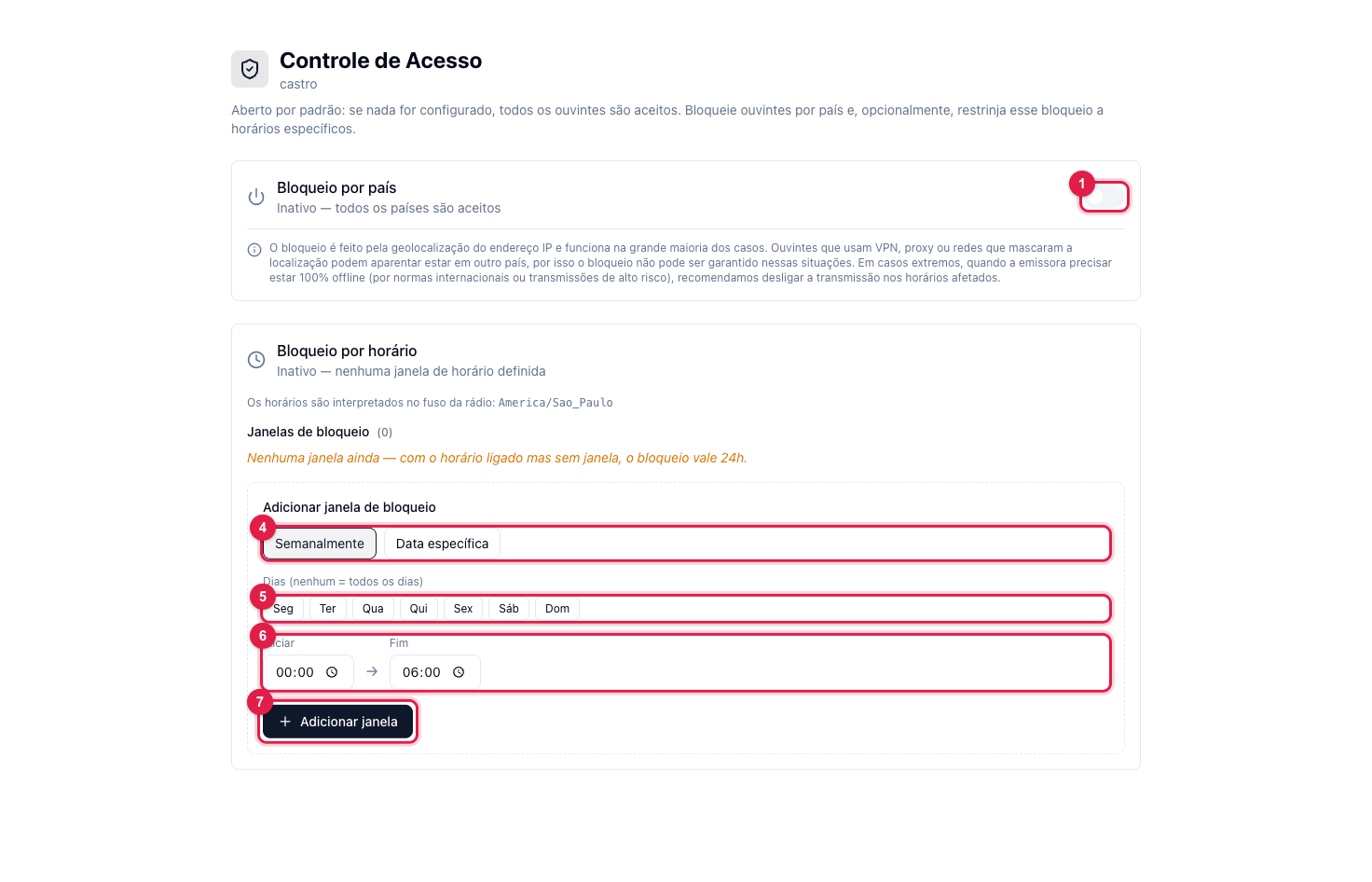
The numbers in parentheses refer to the image.
Attention: the switch (1) saves right away. Turning it on or off applies the rule immediately and the radio reloads its configuration, with a brief interruption for whoever is listening.
Block countries
- Turn on the Country blocking switch (1 in the first image). The 1. Which countries section appears.
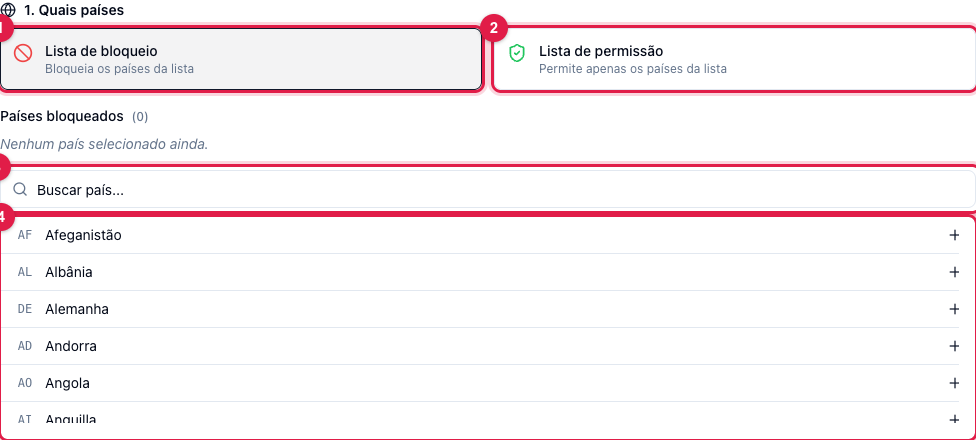
- Choose the mode: Block list (1) — the checked countries are left out and everyone else listens — or Allow list (2) — only the checked countries listen.
- Use the search (3) and check the countries in the list (4). The "Blocked countries" (or "allowed") count shows how many are checked. With no country checked, nobody is blocked.
- The rule applies as soon as you check. To restrict the blocking to certain times, see How to block the radio at certain times.
What can and cannot be guaranteed
- The location comes from the IP and is right in the vast majority of cases. Whoever uses a VPN, a proxy or a network that masks the location may appear in another country, so blocking is not an absolute guarantee.
- If the radio must be 100% off air at some time (international rule, risky broadcast), the safe path is to turn off the broadcast at that time, not the country block.
- On Shoutcast servers the block is reactive: it can take a few seconds to drop whoever was already listening, and the IPs are released when the rule stops applying.
- Blocking depends on the geolocation module installed on the radio's server. If the screen warns that it is not installed, the rule is not being applied: contact support.
What to do if…
- A listener from Brazil says they were blocked. Their IP may be registered in another country (carriers and corporate networks). Ask for the IP and check it on any geolocation service.
- I want to go back to normal. Turn off the switch (1): every country is accepted again right away.