How to register the radio presenters (name, photo, bio and social networks)
Register each announcer with photo, bio, birthday and social networks. The presenter goes into the shows of the grid and shows in the Web Player when their show is on air.
The Presenters are your radio's people: announcers, DJs, hosts. Once registered, they can be linked to the shows in Program Schedule, and the Web Player shows the photo of whoever is on air.
Where it is: Applications › your radio › Presenters.
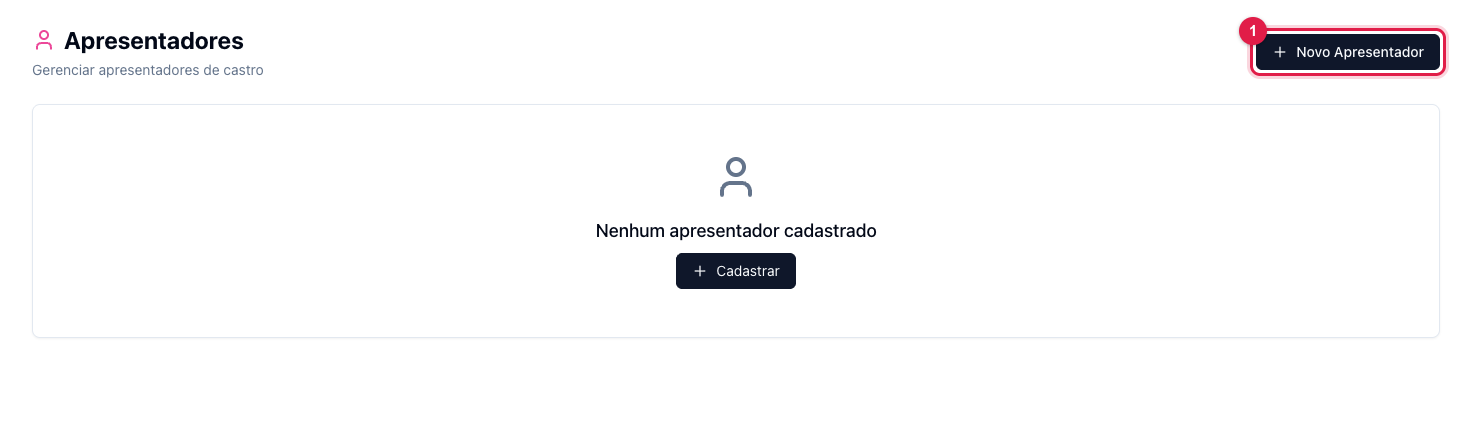
The numbers in parentheses refer to the image.
Register
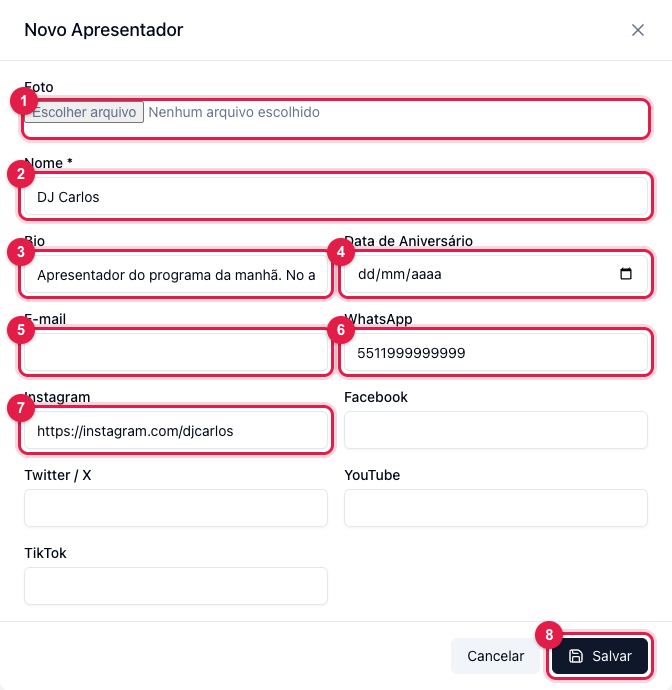
- Click New Presenter (1 in the first image).
- Photo (1): preferably square, with the face centered — it is what shows in the player.
- Name (2) is the only required field. The Bio (3) is a one-sentence introduction.
- Birthday (4), E-mail (5) and WhatsApp (6) are optional.
- Networks (7): paste the full profile address (Instagram, Facebook, Twitter/X, YouTube, TikTok). Only the filled-in ones show.
- Save (8).
The list
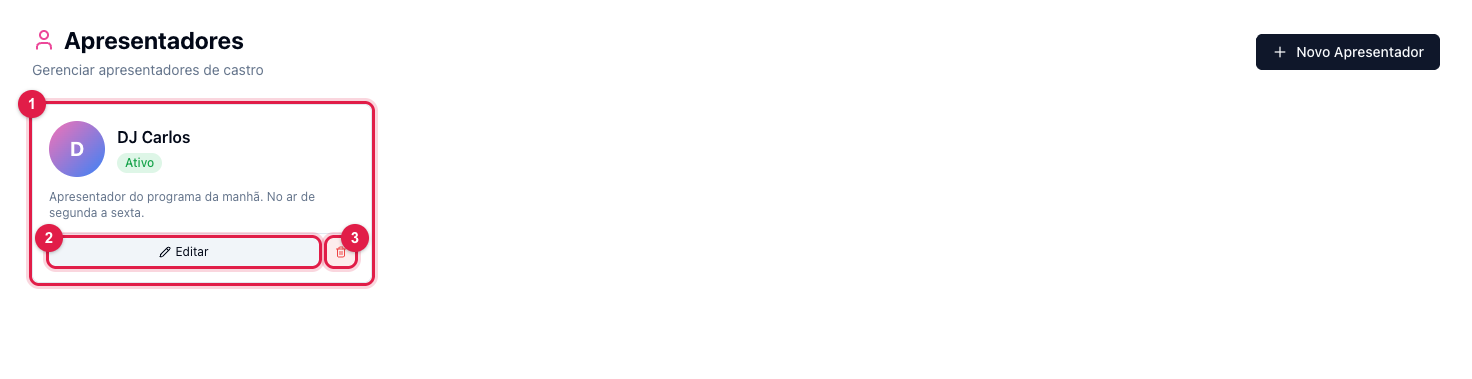
Each presenter becomes a card (1) with the photo, the status and the bio. Edit (2) opens the same form; the trash icon (3) deletes. An Inactive presenter stays linked to the shows, but does not show in the player.
Where the presenter shows
- In Program Schedule, in each show's Presenter field (see how).
- In the Web Player, with Show presenter photo on, during their show (see how).
What to do if…
- The photo does not show in the player. Check that the presenter is on the current show and that the photo switch is on; if the song has a cover and "Show album cover" is on, the cover takes priority.
- I want to remove someone without deleting the history. Edit and mark as Inactive.