How to show the show on air and the presenter in the Web Player
The Web Player can show "on air now: Country Morning, with DJ Carlos" and the presenter's photo. It depends on registering the program schedule and the presenters and turning on two switches in the player.
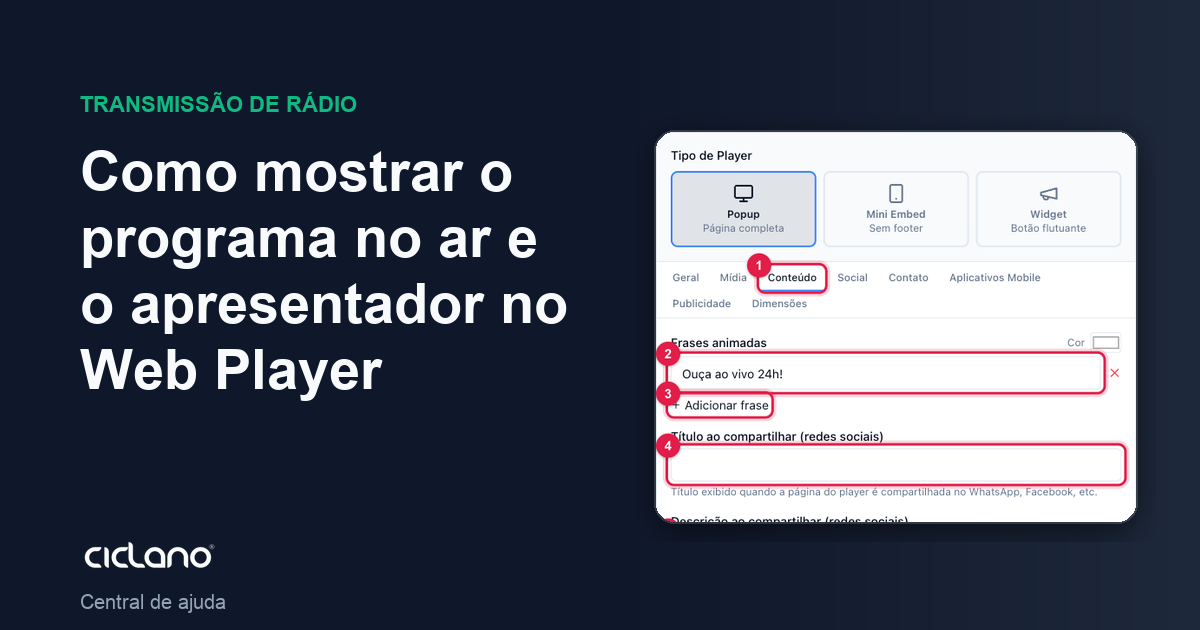
When the listener opens the player and sees "On air now: Country Morning" with the photo of whoever is presenting, the radio looks like a radio. That comes from three places: the Presenters registration, the schedule in Program Schedule and two switches in the Web Player's Content tab.
Where it is: Applications › your radio › Presenters, Program Schedule and Web Player.
1. Register the presenters
In Presenters, create a record for each person, with a photo. Step by step in How to register the radio presenters.
2. Register the program schedule
In Program Schedule, register each show with days, start and end time and the presenter. It is from the current time that the player figures out what is on air. Step by step in How to register the radio program schedule in the panel.
3. Turn it on in the Web Player
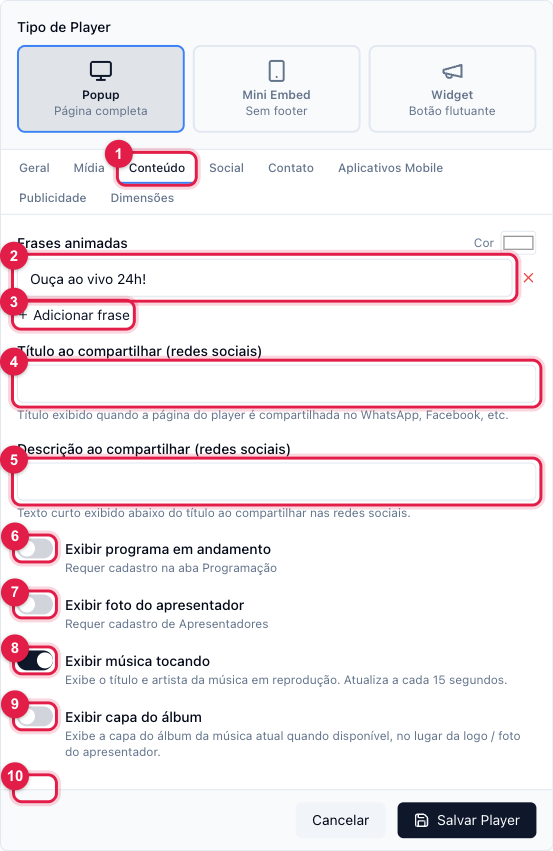
The numbers in parentheses refer to the image.
- In Web Player, click Edit on your player and open the Content tab.
- Turn on Show current program (6). The player starts showing the name of the show in the current slot.
- Turn on Show presenter photo (7). The photo of the current show's presenter takes the place of the logo.
- If Show album cover (9) is also on, the song's cover, when there is one, takes priority over the photo.
- Save Player. Check the preview — if no show is in the slot right now, the player shows only the radio.
How the player decides what to show
- It looks at the weekday and the current time in the radio's time zone and looks for an Active show in that range.
- Outside any show, nothing shows as "on air now" — that is not an error.
- If two shows overlap in time, the first one registered wins. Avoid overlaps.
What to do if…
- The switch says "Requires registration in the Program Schedule tab". There is no show registered yet (or none active). Register and come back.
- The show appears but not the photo. The show has no presenter, or the presenter has no photo. Edit the show and choose the presenter; edit the presenter and upload the photo.
- It shows the wrong show. Check the show's time and days and the radio's time zone.