How to add ads and app links to the Web Player
The Web Player's Advertising tab plays an ad before pressing play, during the broadcast or when pausing, or shows a banner. The Mobile Apps tab invites the listener to install your app. See how to set up both.
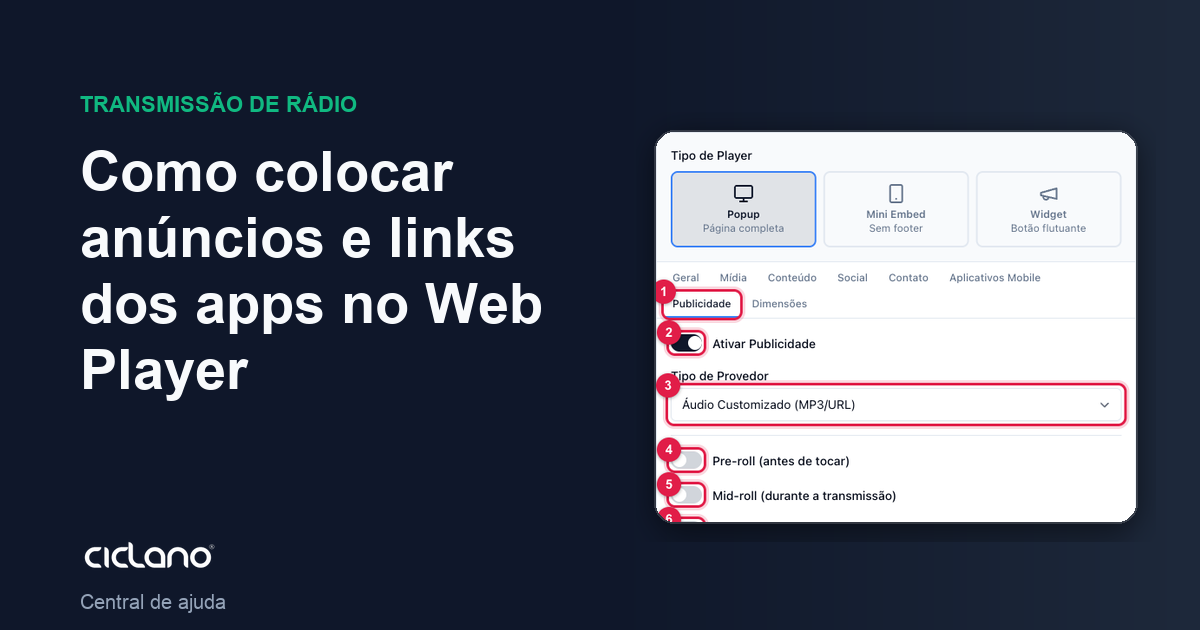
The Web Player has two tabs to monetize and promote: Advertising, which inserts ads into the player, and Mobile Apps, which shows the listener the links to your app on the App Store and Google Play.
Where it is: Applications › your radio › Web Player › Edit › Advertising and Mobile Apps tabs.
Advertising
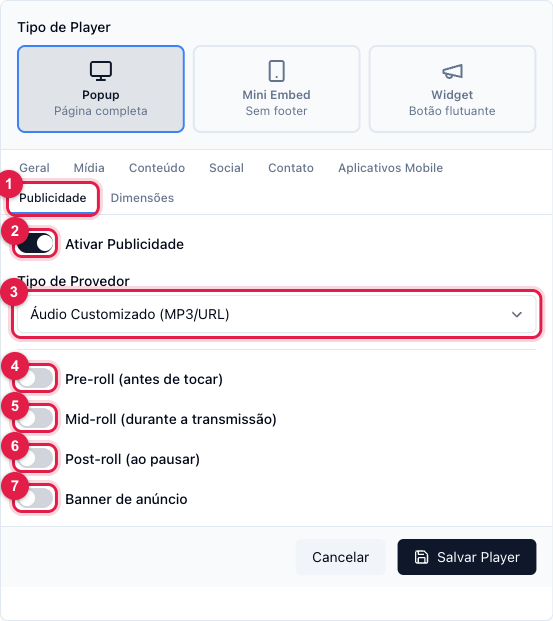
The numbers in parentheses refer to the image.
- In the Advertising tab (1), turn on Enable Advertising (2).
- Choose the Provider Type (3):
- Custom Audio (MP3/URL) — you enter the address of an MP3 (your own spot) and the duration.
- VAST Tag (Google Ads etc.) — the VAST tag of your audio ad network; the network decides what to play.
- HTML/Image Banner — a visual banner in the player, by HTML/JS code or image.
- Turn on the moments when the ad comes in:
- Pre-roll (4) — before the radio starts playing, when the listener presses play. You can allow skipping after a few seconds.
- Mid-roll (5) — during the broadcast, every so many minutes (you set the interval).
- Post-roll (6) — when the listener pauses.
- Ad banner (7) — the fixed banner, at the top or bottom of the player.
- Fill in the fields that appear for each moment (audio address, duration, interval, "skip after X seconds", banner code) and click Save Player.
Web Player ads only apply to whoever listens through the player. Commercials inside the broadcast itself (for everyone, including apps and Alexa) are AutoDJ's Interval playlist: How to add commercials and jingles to the radio.
Mobile Apps
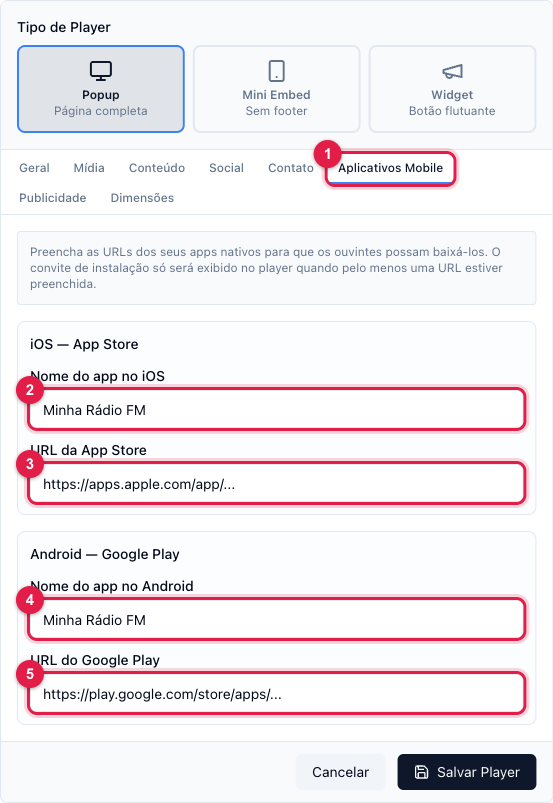
If your radio has an app, fill in the name (2 and 4) and the store address (3 and 5). With at least one URL filled in, the player shows the listener on the phone an invitation to install the app. With no URL, nothing shows.
What to do if…
- The pre-roll does not play. Check the MP3 address (it must be HTTPS and public) or the VAST tag. Test in the preview with the computer audio on.
- I want ads for everyone, not just in the player. Use AutoDJ's Interval playlist.
- The app invitation shows on the computer. It only shows on the phone; on the computer the links are in the player footer.