How to add commercials and jingles to the radio (Interval playlist)
The Interval playlist fires every X songs or X minutes: a jingle between songs or a whole commercial break. See how to build both.
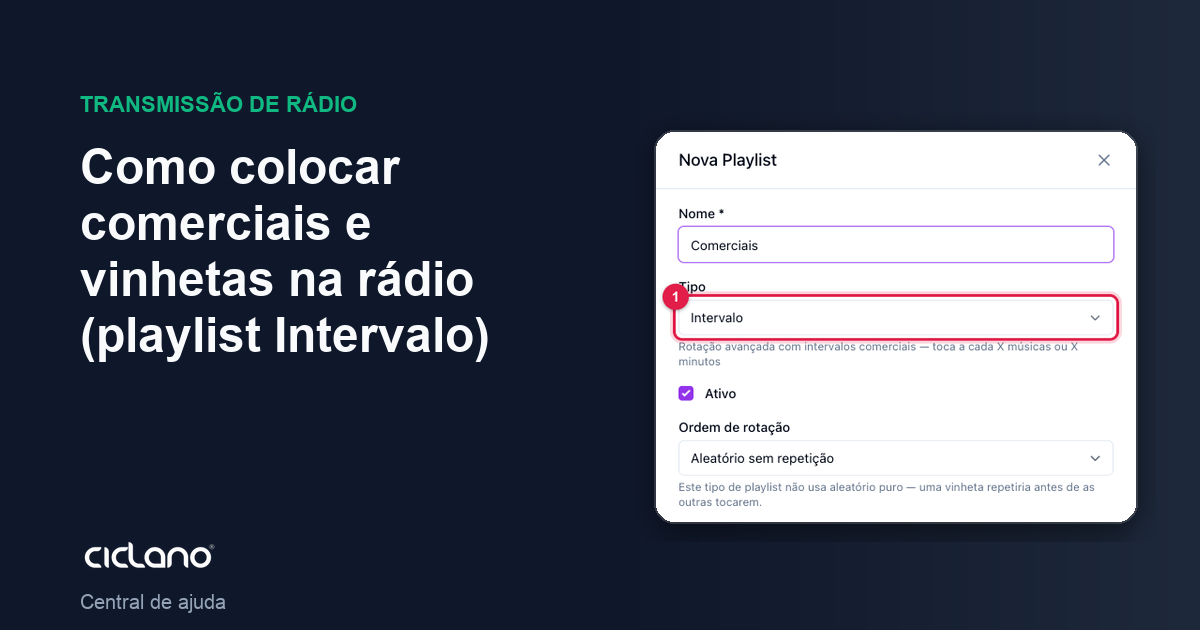
Commercials, jingles and institutional spots enter the radio through the Interval playlist. It does not play all the time: it fires on a rule (every so many songs or minutes) and, on firing, plays one track or the whole block.
Where it is: Applications › your radio › AutoDJ › Playlists › New Playlist › type Interval.
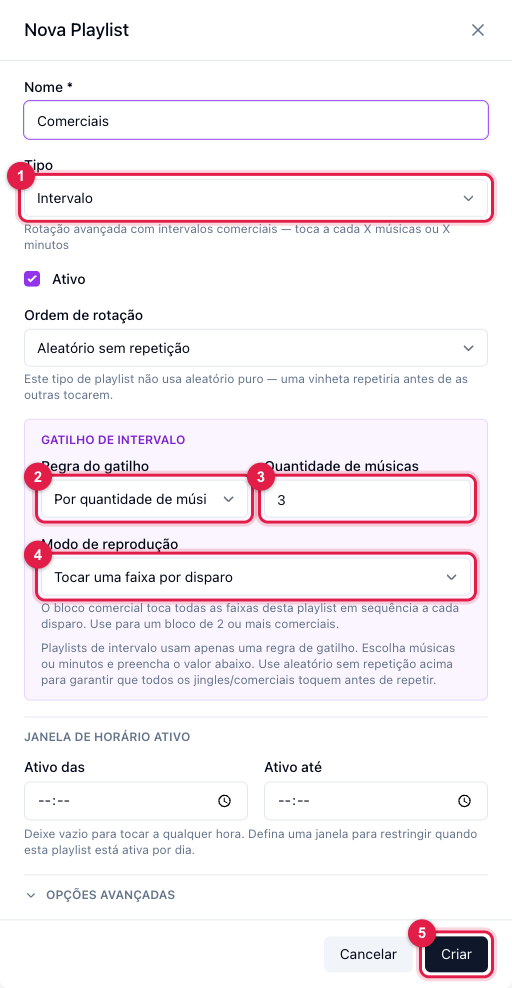
The numbers in parentheses refer to the image.
Recipe 1 — jingle between songs
- New Playlist › Name Jingles › Type Interval (1).
- Trigger rule (2): By number of songs, and in Number of songs (3) put 3 (one jingle every three songs).
- Playback mode (4): Play one track per trigger.
- Rotation order stays Random without repetition: every jingle plays before any repeats.
- Click Create (5) and, on the Tracks tab, add the jingles (or the whole Jingles folder).
Recipe 2 — commercial break
- New Playlist › Name Commercials › Type Interval (1).
- Trigger rule (2): By elapsed time (minutes), and in the field next to it (3) put 20.
- Playback mode (4): Play all tracks in order (commercial break). Use this mode for breaks with 2 or more ads; it plays all of them at once, in list order, from the first track to the last.
- Click Create (5) and add the commercials on the Tracks tab, in the order they should air.
Useful adjustments
- Active Time Window (Active from / Active until, below the trigger): a break that only exists in business hours (8 to 20, for example). Outside the window the playlist does not fire.
- One rule only. The Interval playlist uses either songs or minutes. If you want commercials every 20 minutes and jingles every 3 songs, make two playlists.
- Advanced Options › No repeat within X songs: only applies to the Random order. With Random without repetition it already does not repeat within the cycle.
- Several advertisers with different frequencies? One playlist per frequency: Commercials every 15 min, Commercials every 30 min.
Proving the airtime
In AutoDJ › History, the Playlist History tab shows each firing of the commercials playlist, and the Period Report compares what was scheduled with what played. In Statistics › Music & Commercials there is the per-advertiser report with time on air, which you export for the client.
What to do if…
- The break does not come in. Check that the playlist is active, has tracks and the trigger (2 and 3) is filled in (the History audit points out "Interval without trigger rule" and "Interval with two triggers").
- Two breaks come in back to back. Two Interval playlists are competing for the same moment. Spread the triggers (20 and 30 minutes, instead of 20 and 20).
- The commercial plays in the middle of the scheduled show. That is expected: commercials and jingles keep interleaving during the Scheduled playlist.