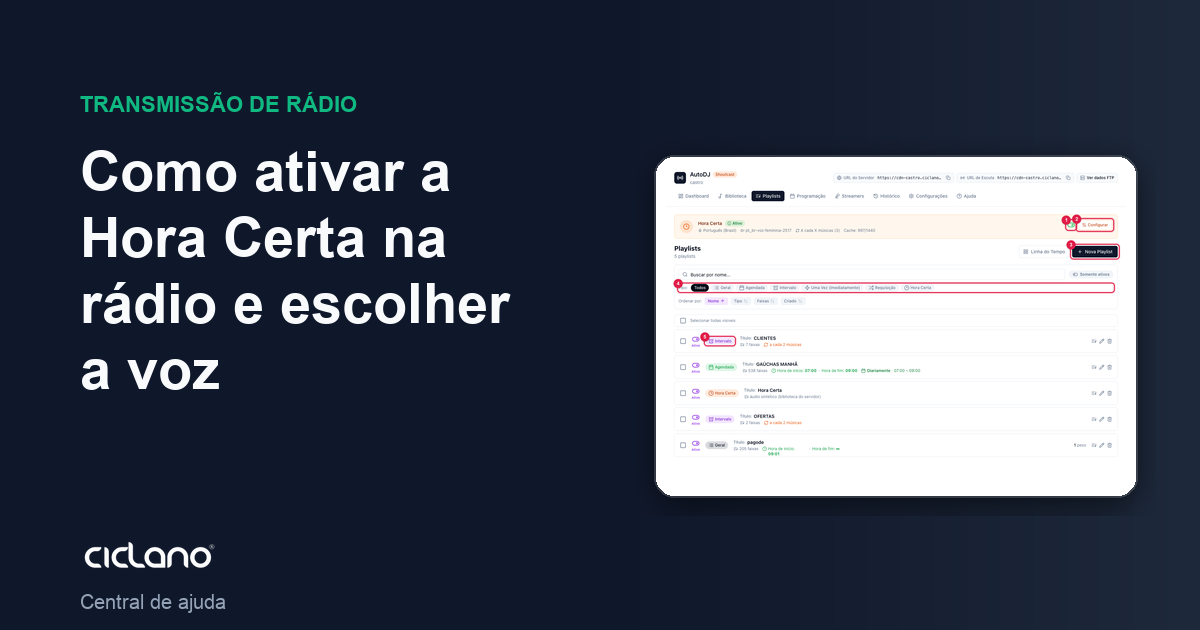
How to enable the time announcement on the radio and choose the voice
The clock announcement with a synthesized voice. Choose the language and the voice, listen before saving and set whether it comes on the hour or every so many songs.
The Time announcement tells the time on your radio with a voice generated on the server — no recording needed. It is a system playlist: it comes already created, cannot be deleted or receive tracks; what you do is turn it on, choose the voice and say when it comes in.
Where it is: Applications › your radio › AutoDJ › Playlists › Time announcement card at the top.
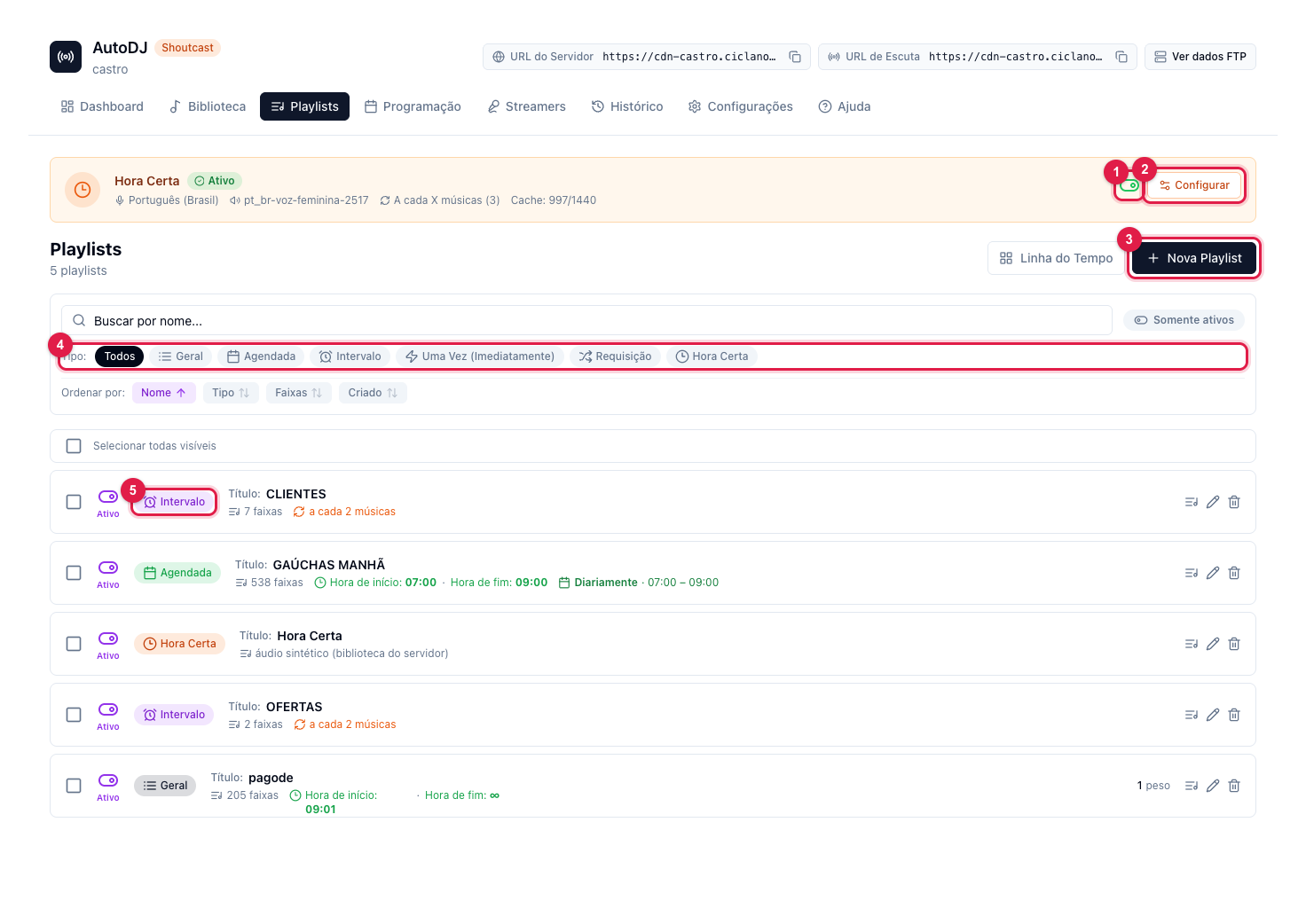
The numbers in parentheses refer to the image.
Step by step
- In AutoDJ › Playlists, in the Time announcement card, click Configure (2).
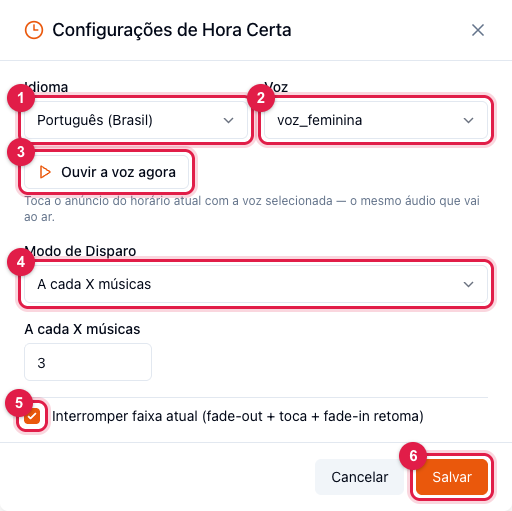
- Language (1): Portuguese (Brazil) or another available one.
- Voice (2): pick from the list. Click Listen to the voice now (3) — it plays the current time announcement with the selected voice, the same audio that goes on air.
- Trigger Mode (4):
- At the exact system time — comes in on the hour (09:00, 10:00…).
- Every X songs — between songs, every so many tracks (the number goes in the field just below).
- Every X minutes — every so many minutes.
- Interrupt current track (fade-out + play + fade-in resume) (5): checked, the song fades down, the time comes in and the song resumes from where it was — that is what makes the "exact time" exact. Unchecked, the time announcement waits for the song to end.
- Click Save (6) and turn on the card's switch (1 in the first image).
Tips
- The time announcement has the highest priority in AutoDJ: it comes in over commercials, shows and the rotation.
- A voice with no audio recorded on the server cannot be saved — the screen warns you. Choose another from the list.
- Use the right time zone in AutoDJ Settings › Time Zone: it is the one the announcement reads.
What to do if…
- On, but never plays. The History audit points out "Time announcement enabled but never on air": open Configure (2), confirm language and voice and listen to the preview (3). If the preview does not play, the voice has no audio coverage — change the voice or contact support.
- It announces the wrong time. It is the time zone: adjust it in AutoDJ Settings.