How to set the title, description, privacy and thumbnail of the live
The Configure Title button (or Title and Description in Destinations) sets what the next live will show on YouTube and the other networks: title, description, privacy, category, latency, tags and thumbnail. The text applies to the next broadcast.
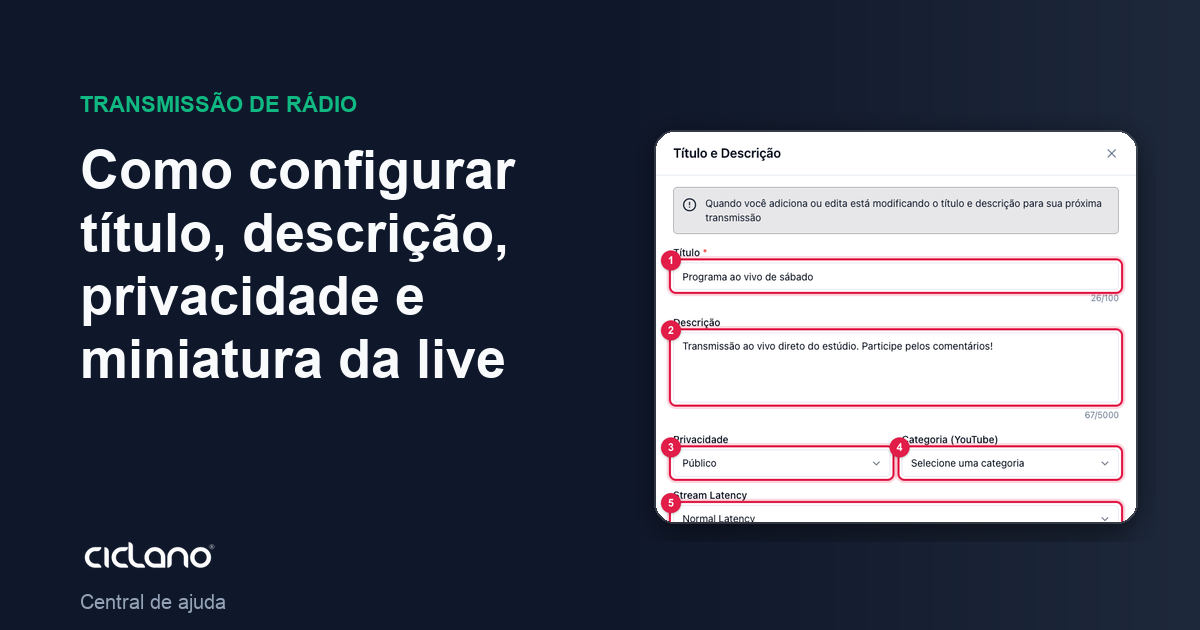
What appears as the live's name on YouTube, Facebook and the other networks comes from here. The setting applies to the next broadcast: you set it before starting and it is sent when the live is created on the destinations.
Where it is: Applications › your video application › Home › Configure Title button, or Destinations › Title and Description button (it is the same window).
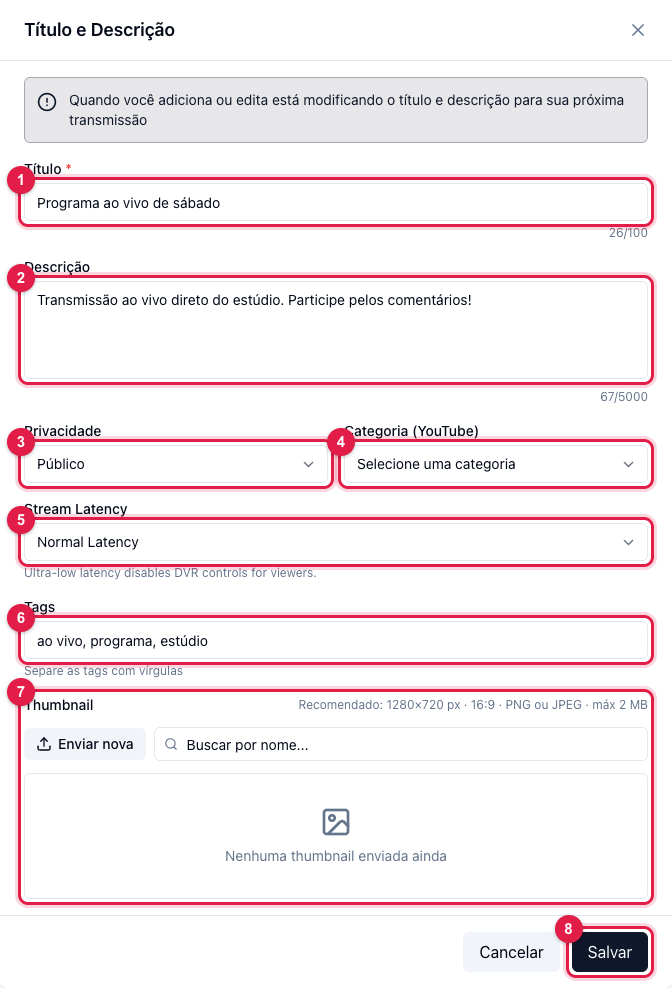
The numbers in parentheses refer to the image.
The fields
- Title (1) — required, up to 100 characters. It is the live's name on the networks and in the panel's history.
- Description (2) — up to 5,000 characters. On YouTube it shows below the video; put links, schedules and calls to action.
- Privacy (3) — Public, Unlisted (only whoever has the link) or Private. Applies to YouTube.
- Category (YouTube) (4) — the video's category on YouTube (Music, News, Entertainment…).
- Latency (5) — Normal, Low or Ultra-low (YouTube). Lower latency = less delay between you and the viewers, but more sensitive to internet fluctuations; ultra-low disables DVR (rewinding) for the viewer. For most cases, Normal.
- Tags (6) — comma-separated words, for YouTube search.
- Thumbnail (7) — the live's thumbnail. Upload a new one (1280×720 recommended, JPG or PNG, up to 2 MB) or pick one already uploaded, searching by name. Uploaded thumbnails live in Storage.
Click Save (8). If you change it during a live, the change applies to the next one; the ongoing live keeps what was sent when it started.
Where this shows
- On YouTube, everything: title, description, privacy, category, latency, tags and thumbnail — when the live is created without a schedule. If you choose a YouTube schedule in Destinations, that schedule's data applies.
- On Facebook, title and description.
- On custom RTMP destinations (Instagram, TikTok…), nothing: each platform asks for the title in its own app.
- In the panel's history, the title identifies each broadcast.