Encoder and channel logs: why my live did not broadcast
Logs › Encoder shows every connection and drop of your encoder with the duration; Logs › Channels shows what happened to each destination: channel marked, destination created, failed to publish, expired access. See how to read both to find the cause.
When the live drops or "I marked the channel and it did not go", there are two questions: did the encoder stay connected? and was the destination created and did it publish? Each one has its log.
Where it is: Applications › your video application › Logs › Encoder and Channels.
Logs › Encoder
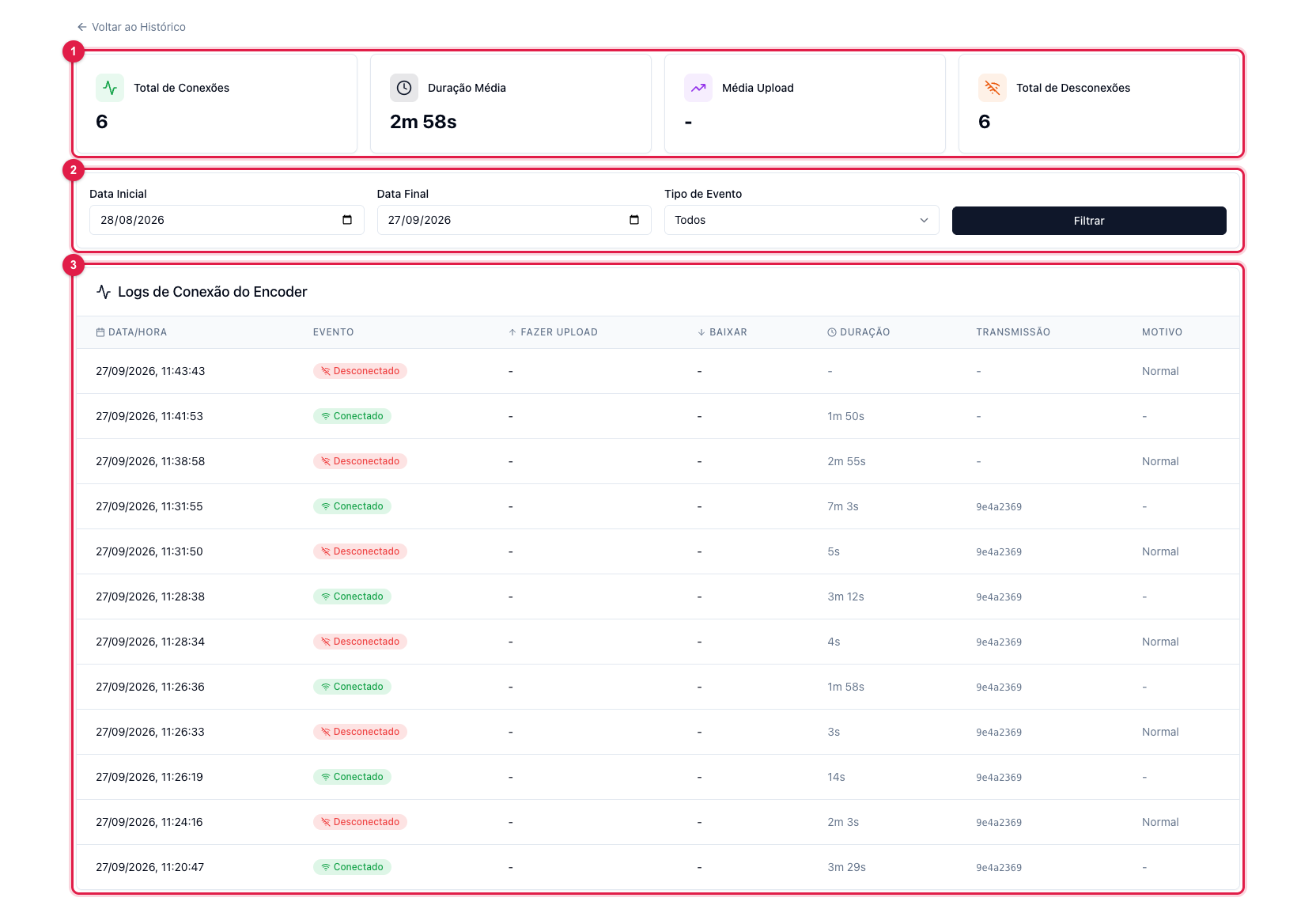
The numbers in parentheses refer to the image.
Each row (3) is an event: Connected when the encoder came in, Disconnected when it left, with the duration of the stretch and the broadcast it belongs to. The summary (1) gives the view of the period and the filters (2) narrow by date and type. How to read it:
- Several short disconnections in a row (seconds) during the live = the encoder's internet fluctuated; OBS reconnects on its own, but each drop becomes a "hole" for viewers. Lower the bitrate, use a cable.
- No connection when you thought you were broadcasting = the encoder pointed to another server or key, or did not start. Check in Where to find the RTMP server and the key.
- Connected without a broadcast (empty Broadcast column) = the encoder came in without you having clicked Start Transmission; the video reaches the server but no destination receives it.
- Reason "Normal" = the encoder itself ended (you stopped); other reasons indicate a network drop or timeout.
Logs › Channels
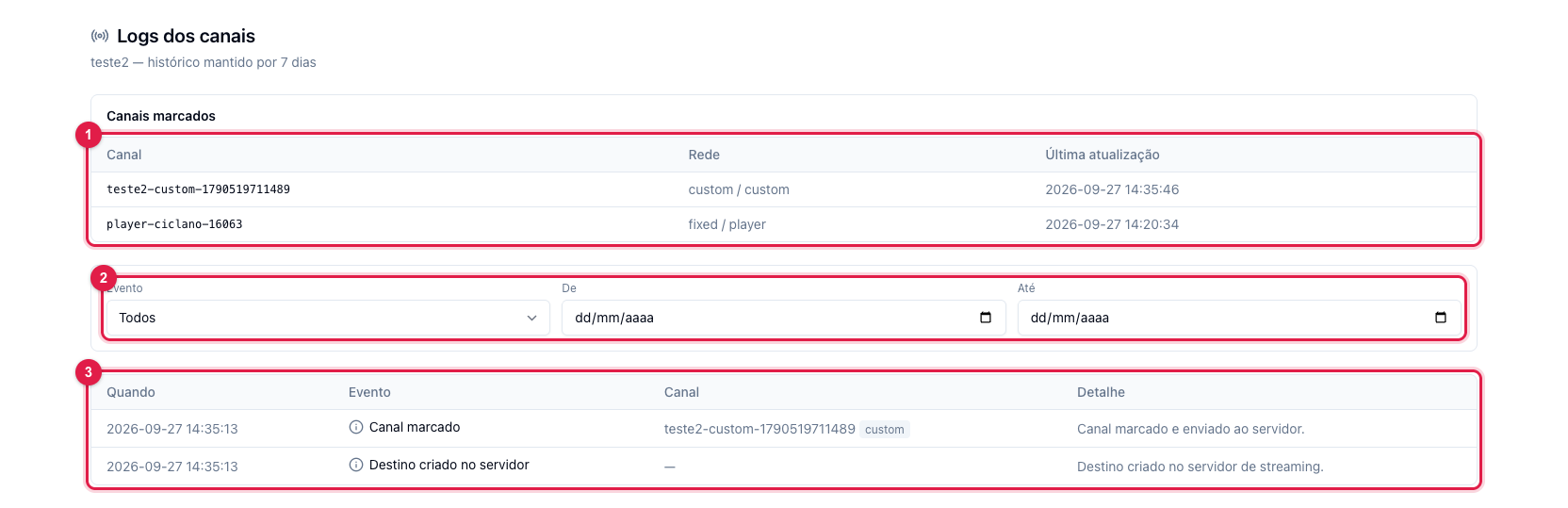
The top table (1) answers "what is marked now". The list (3) tells the story: Channel marked and Channel unmarked (what you did), Destination created on the server and Destination removed (what the server did), Failed to create destination and Failed to publish (what went wrong), Social network token expired and Access revoked (the network cut the access). The history is kept for 7 days.
The most common cases:
- Marked, but no "Destination created on the server" = the server did not receive the destination; unmark and mark again. If it repeats, contact support.
- Token expired / access revoked = the network dropped the authorization (password changed, deadline passed). In Destinations, log out of the account and connect again; mark the channel once more. Meanwhile the channel shows as marked, but does not broadcast — the page warns with a banner when this happens.
- Failed to publish = the network refused the live: YouTube channel without lives enabled, expired custom RTMP key, bitrate above what Twitch accepts. The row's detail says the reason.