How to stream to Instagram, TikTok and others via custom RTMP
Any platform that gives you an RTMP server and a key can be a destination of your live: create a Custom channel with name, server URL and key, mark it and broadcast. Includes where to get the key on Instagram and TikTok and how to export and import channels.
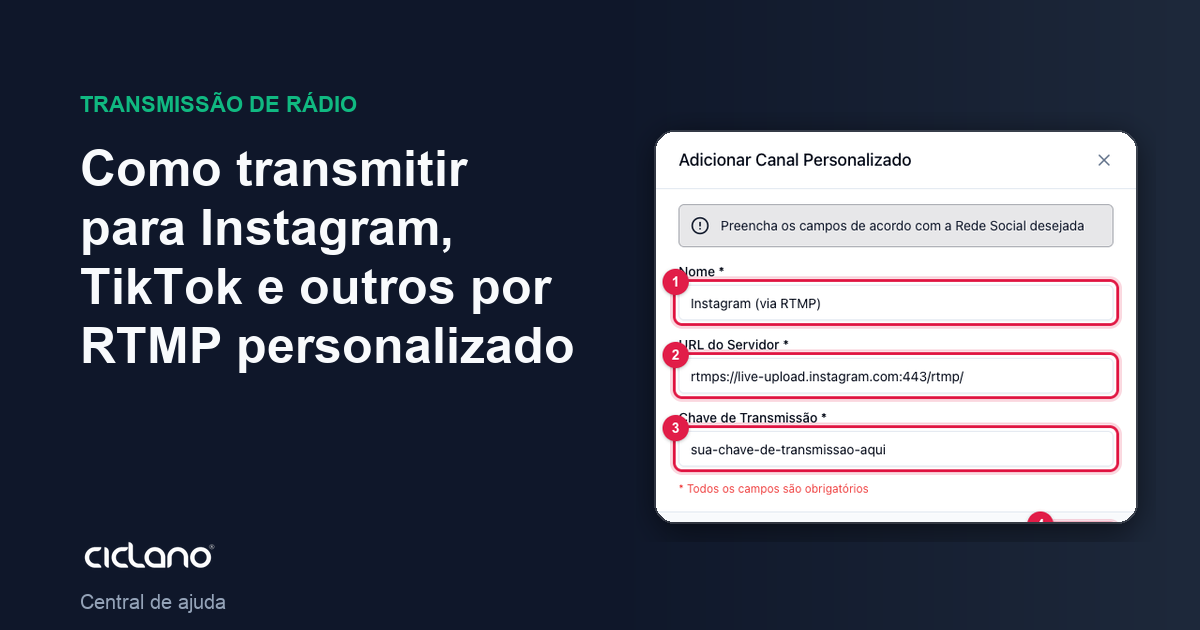
The Custom card accepts any destination that works over RTMP: Instagram (through Live Producer), TikTok (LIVE Studio), Kick, Vimeo, another Wowza server, a second panel. You enter the server and the key the platform provides, mark the channel and Ciclano relays to it.
Where it is: Applications › your video application › Destinations › Custom card › Add Channel.
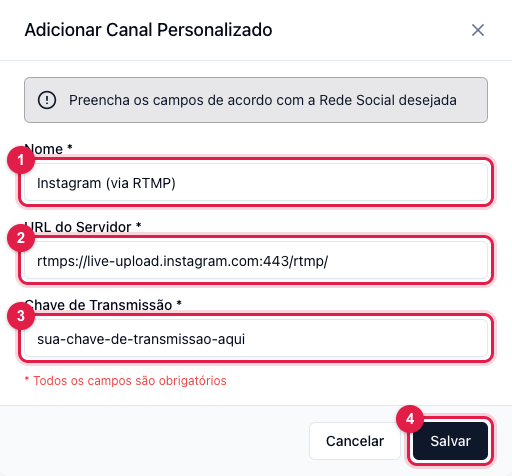
The numbers in parentheses refer to the image.
1. Create the channel
- Click Add Channel in the Custom card.
- Name (1) — how the channel will show in the panel ("Instagram", "TikTok store").
- Server URL (2) — the platform's RTMP address. It must start with
rtmp://orrtmps://. - Stream Key (3) — the key the platform generated for this live.
- Save (4).
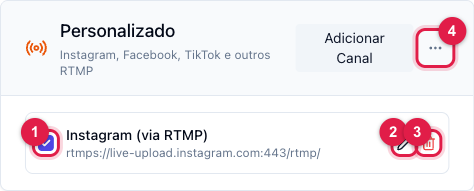
The channel shows in the list. Check the box (1) for it to receive the live — marking sends the destination to the server right away. Edit (2) changes server and key (useful when the platform generates a new key for each live); Delete (3) removes it.
2. Where to get server and key
- Instagram — on the computer, Instagram › Create › Live video (Live Producer). It shows the server URL (
rtmps://…) and the key. The key is valid only for that live: edit the channel before each broadcast. Vertical video (9:16) looks better; Instagram accepts 16:9 with bars. - TikTok — TikTok LIVE Studio or LIVE access via RTMP, available for accounts with the feature enabled; the key also changes per live.
- Kick, Vimeo, Twitch via RTMP, another Wowza — the platform shows "Stream URL/Server" and "Stream Key" in its streaming settings.
3. Broadcast
With the channel marked, go to Home, Start Transmission and start the encoder. The destination platform receives the same video as the player. Title, description and thumbnail are set in the platform's own app: RTMP only carries video and audio.
Export and import
The card's menu (4) has Export Channels, which downloads the list of custom channels as JSON, and Import Channels, which reads that file. It serves to copy the list to another application or to keep a backup. The files contain the keys: keep them safe.
Common problems
- The platform receives nothing: expired key (Instagram and TikTok generate a new one per live) or URL without
rtmp://. Edit the channel and check in Logs › Channels whether "failed to publish" shows. - The box will not check: plan channel limit reached. Unmark another one.