Forgot my password: how to recover access to your account
On the login screen, click "Forgot your password?", enter the account e-mail and follow the link that arrives by e-mail to create a new password. The link is valid for 60 minutes. See also what to do when the e-mail does not arrive, when access was blocked by wrong attempts and when the two-factor code does not come.
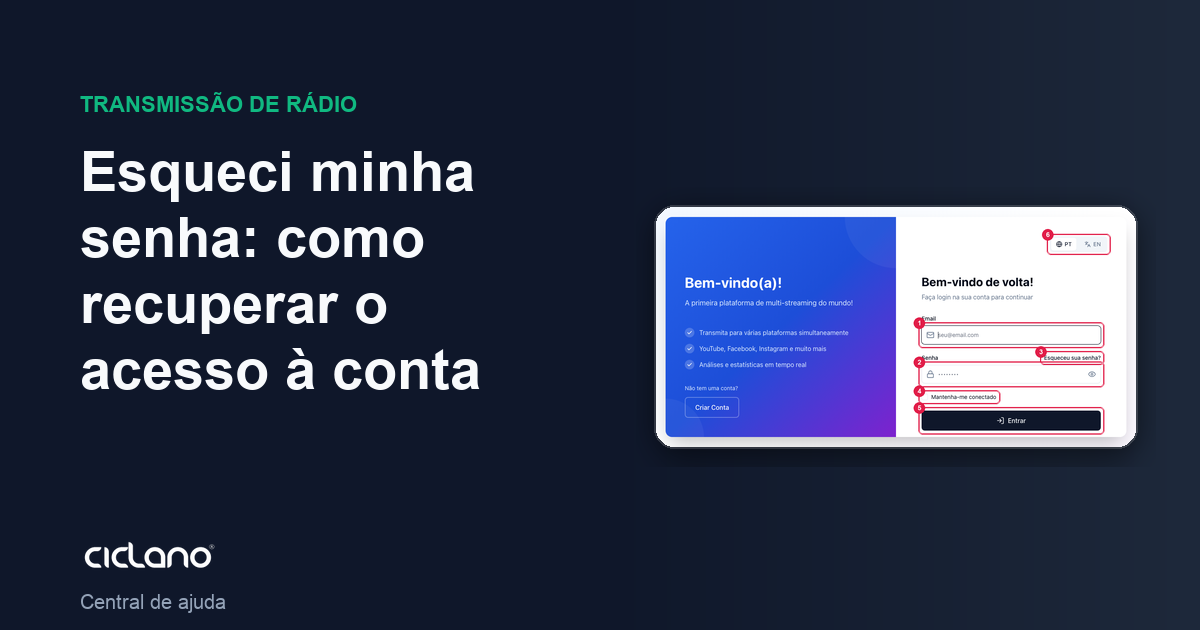
Lost the password? No need to open a ticket: the login screen resets the password by e-mail, on its own, in two minutes. You only need access to the e-mail the account was created with.
Where it is: login screen (app.ciclano.io) › Forgot your password?.
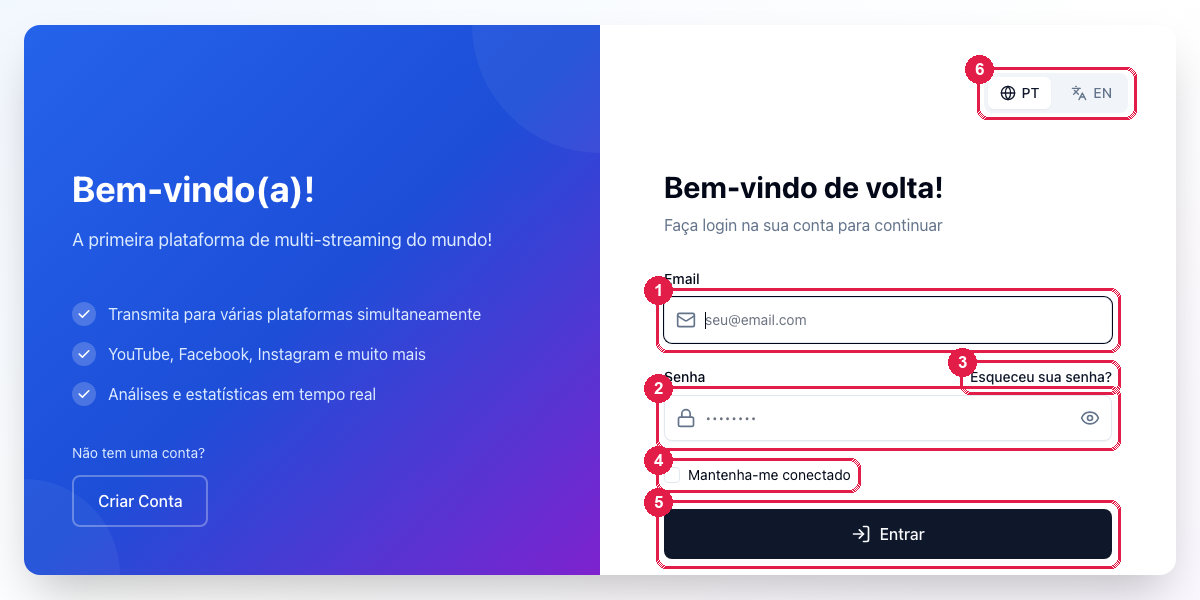
The numbers in parentheses refer to the image.
1. Request the reset link
- On the login screen, click Forgot your password? (3 in the first image).
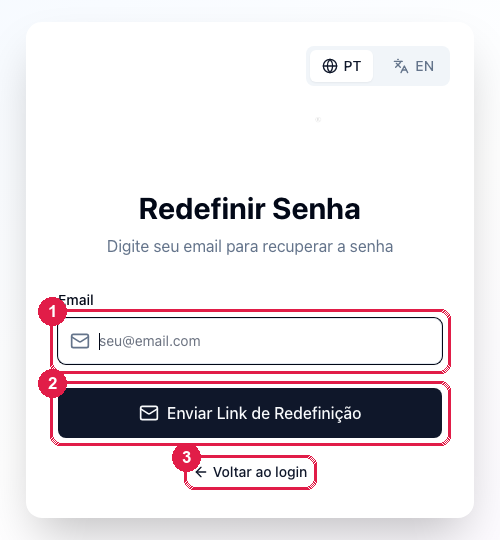
- Type the account e-mail (1) — the same one you use to enter the panel — and click Send Password Reset Link (2).
- The screen confirms the sending. For security it confirms even if the e-mail does not exist at Ciclano: if nothing arrives, see the list of problems below.
2. Create the new password
- Open the "Password reset" e-mail and click the button. The link is valid for 60 minutes and works only once; past that, request another.
- On the Reset Password screen, check the e-mail, type the new password and the confirmation. Rules: at least 8 characters, with uppercase, lowercase, number and symbol.
- Click Reset Password. You go back to the login screen: enter with the e-mail (1), the new password (2) and Sign In (5).
If the account has two-factor authentication, the verification screen shows after the password: the Google Authenticator code, or a code sent to WhatsApp or e-mail, according to what you enabled. Without the app, use one of the recovery codes saved when you enabled it.
What to do if…
- The e-mail does not arrive. (a) Check the spam folder and the Promotions tab. (b) Wait a few minutes; delivery is not instant with every provider. (c) Check the e-mail you typed: it must be the account's login e-mail, not an additional e-mail registered in the profile nor a subaccount's. (d) If you are someone's subaccount (announcer, partner), the login is your own e-mail, not the owner's. If none of this helps, ask through the chat or the site's contact form, giving the radio's name.
- "This password reset link is invalid". 60 minutes have passed or the link was already used. Request another in Forgot your password?.
- "Your access has been blocked" after several wrong passwords. Login stays locked for 24 hours. Resetting the password by e-mail does not unlock it; wait or ask support to release it.
- I do not receive the two-factor code. By WhatsApp: check the signal and the verified number in the profile. By e-mail: spam. By app: the phone's clock must be right. Lost the phone: use a recovery code; without the codes, open a ticket from the account e-mail so support can turn the second factor off.
- I forgot which e-mail I used. Search your inbox for messages from Ciclano (invoices, notices): the recipient is the account e-mail.
- I changed e-mail and no longer have access to the old one. Only support changes the login e-mail, after confirming it is you (the account's document). Open a ticket or talk through the chat.
So it does not happen again
- Check Keep me signed in (4) on your personal computer, and use a password manager.
- Keep the verified mobile in the profile: it serves as a second factor and as support's contact channel.
- If someone else also accesses, give them a subaccount instead of your password (see how).