My profile: details, tax documents, contacts and addresses
What you edit yourself in My Profile: name, panel language, billing document (CPF or CNPJ), verified mobile, e-mails that receive a copy of the invoices and addresses.
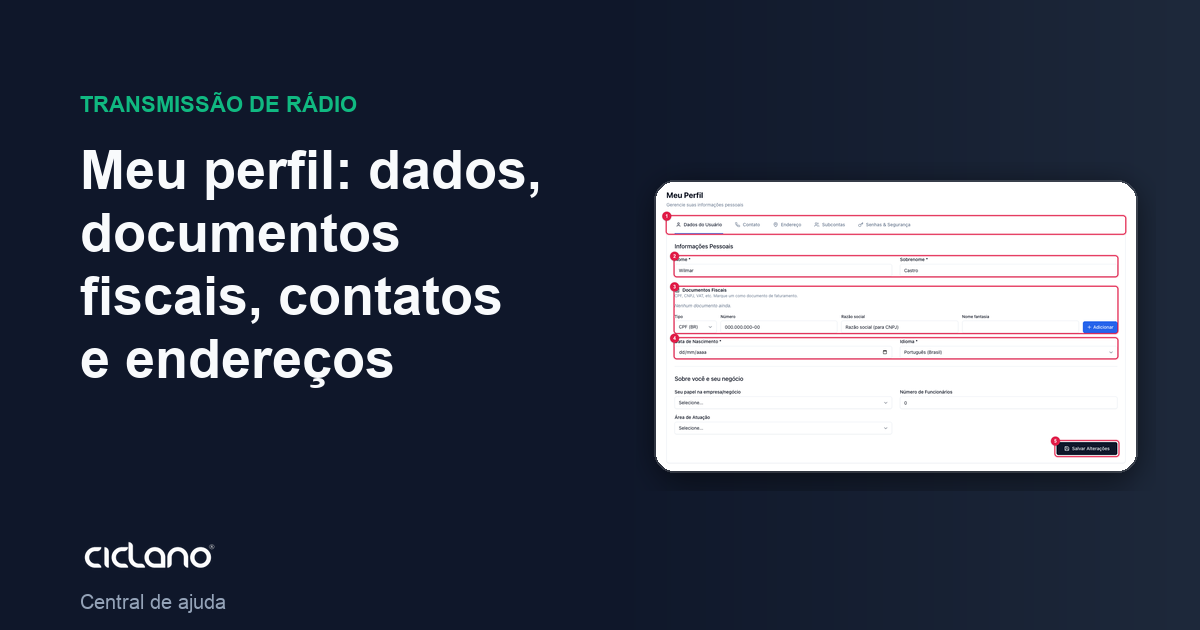
My Profile is where you keep your account details: name, panel language, the documents that go on the invoice, the contacts that receive the notices and the addresses. Everything here is editable by you, without a ticket.
Where it is: menu under your name (top-right corner) › My Profile.
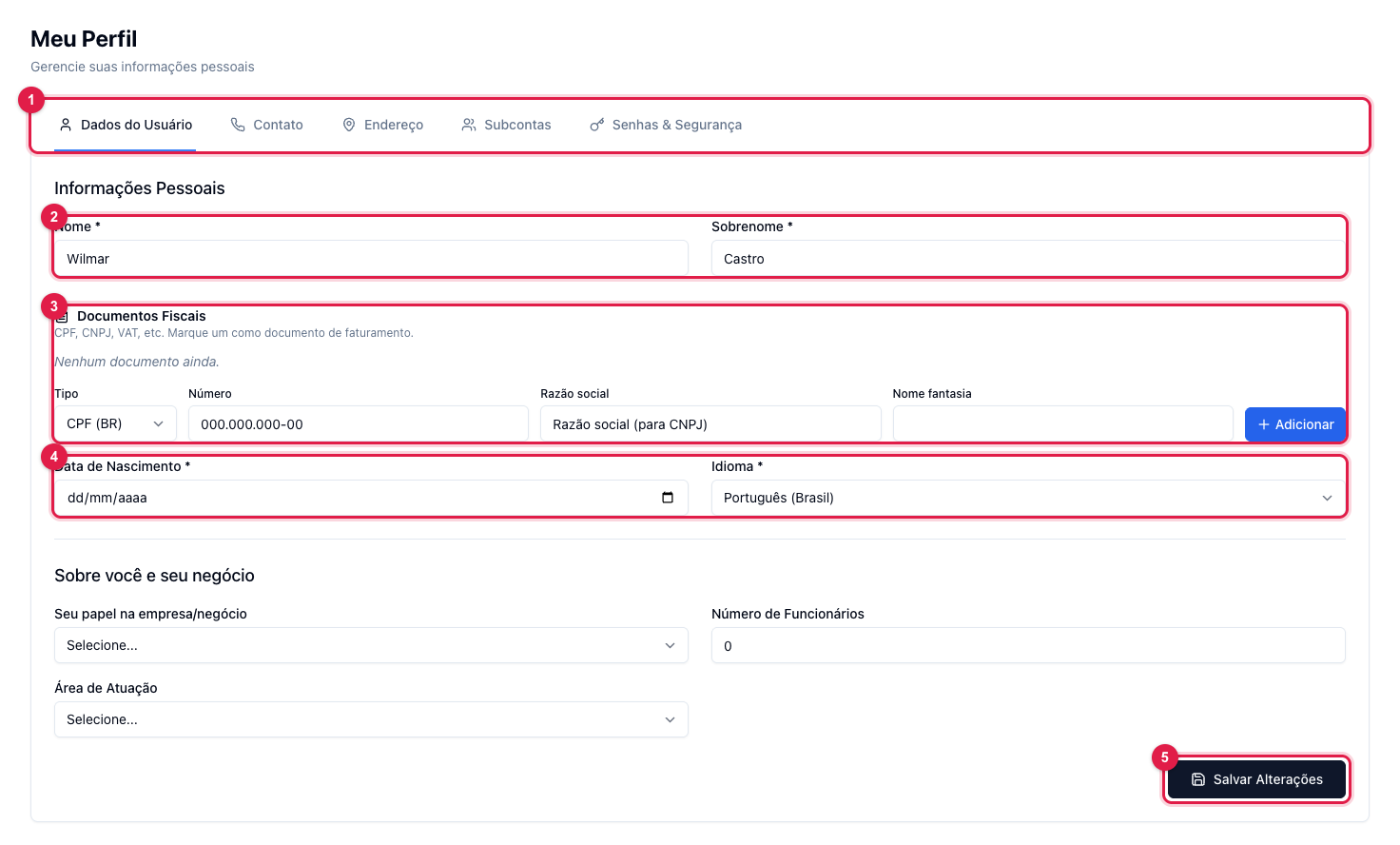
The numbers in parentheses refer to the image.
User Details
- First and last name (2): how you appear in the panel and on invoices.
- Tax documents (3): CPF, CNPJ, VAT, EIN or NIF. Choose the type, type the number (and the legal name, for CNPJ) and click Add. Mark one of them as the billing document: it is what goes on the invoice and the tax note.
- Language (4): the language of the whole panel (Portuguese or English). The change applies on saving.
- Below, "About you and your business" (role, number of employees, field) helps us improve the service; it is optional.
- Click Save Changes (5).
Contact
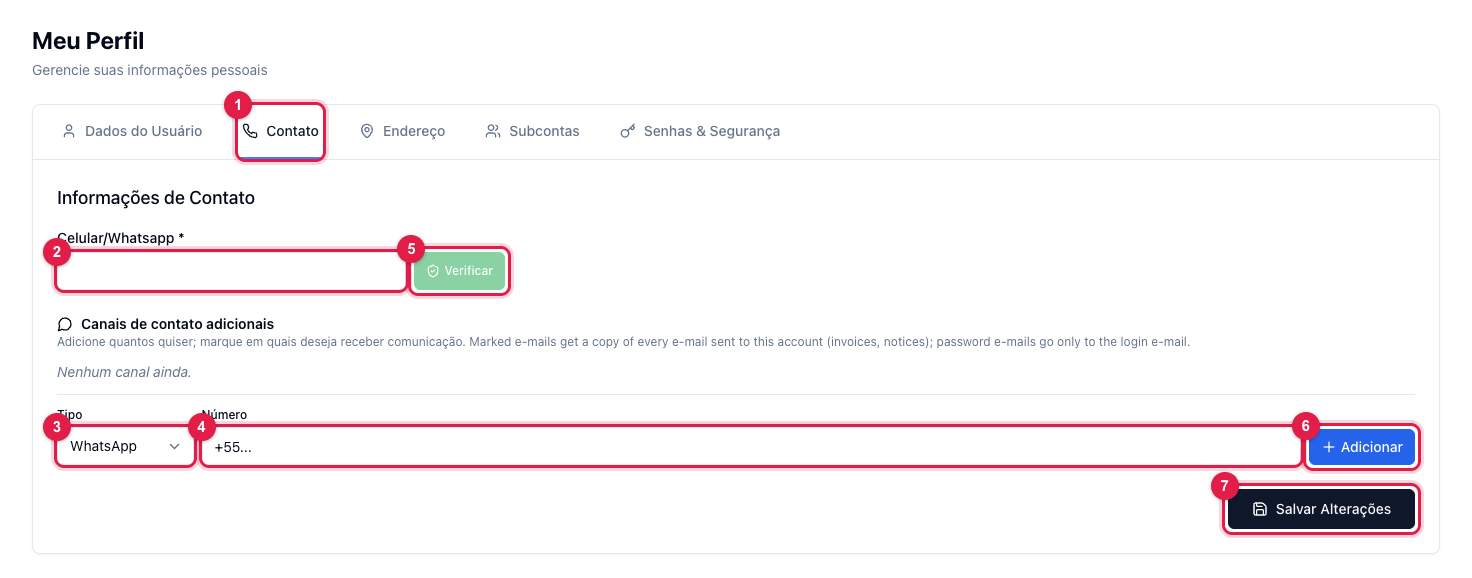
The mobile/WhatsApp (2) is required and can be verified (5): verification enables WhatsApp as a second login factor. In additional contact channels you register other numbers and e-mails (3, 4, 6) and mark on which ones you want to receive communication: a marked e-mail receives a copy of every message from the account (invoices, notices); password e-mails go only to the login e-mail.
Address
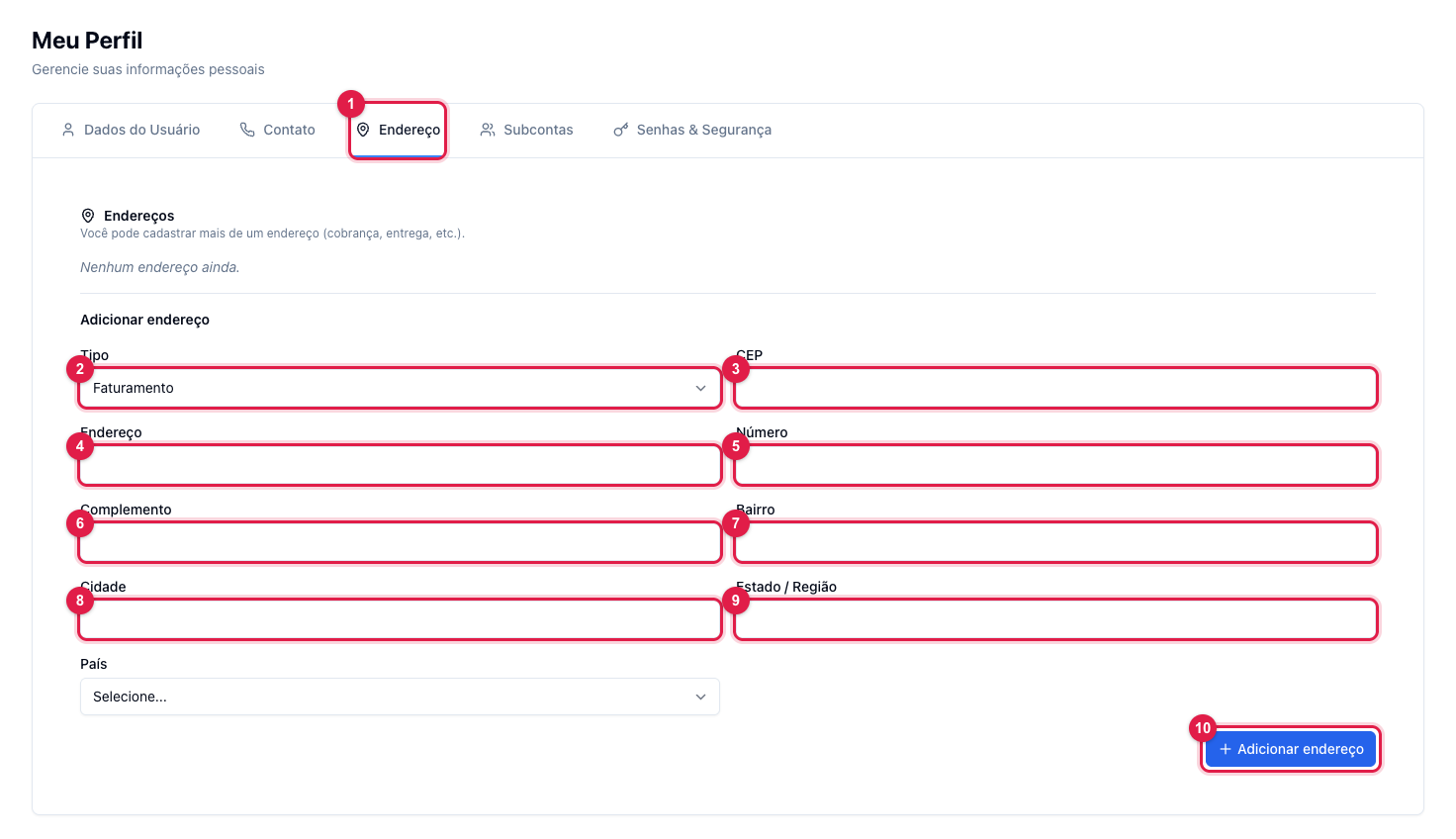
There can be more than one address, each with a type (2): the billing one is what goes on the tax note. Fill in the postal code (3), address and number (4 and 5), complement (6), district (7), city (8), state (9) and the country, and click Add address (10).
Subaccounts and Passwords & Security
The other two tabs have their own articles: How to give panel access to an announcer or partner and Active sessions, password and two-factor.
What to do if…
- The tax note came out with the wrong document. Mark the right document as "billing" and open a ticket to reissue the note.
- I want to change the login e-mail. The main e-mail is changed by support, for security; the additional e-mails you register yourself.