How to go live on the radio with AutoDJ on (DJs and announcers)
Create a DJ user, connect the encoder with the details from the Streamers tab and go live: AutoDJ pauses on its own and comes back when you disconnect.
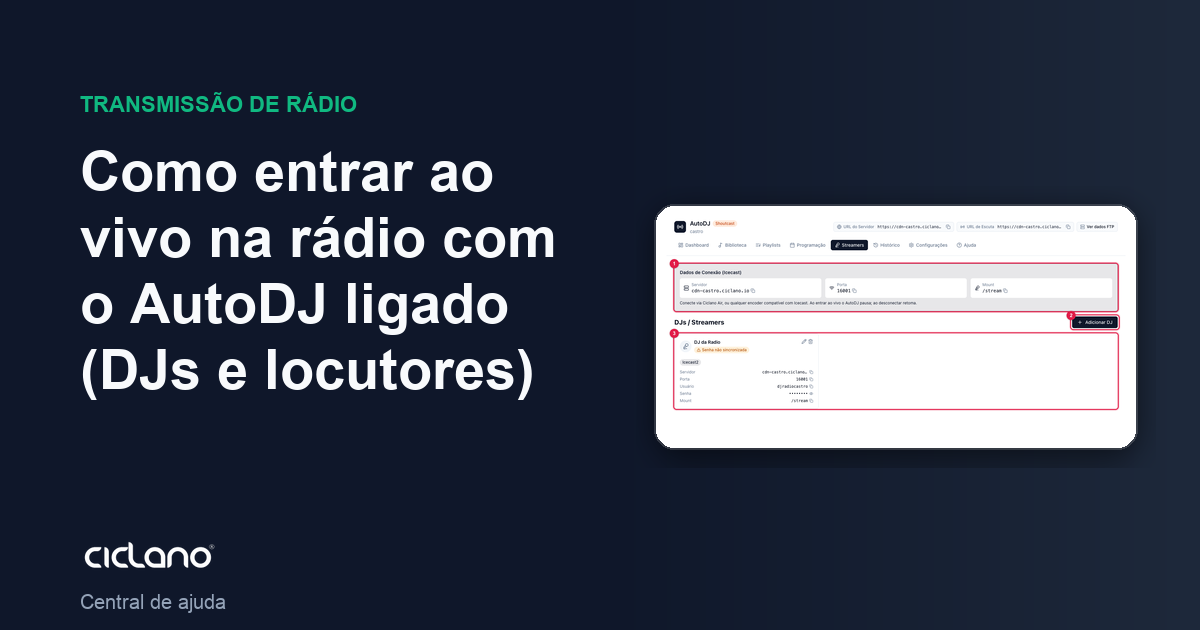
With AutoDJ on air, whoever wants to go live — you, an announcer, a guest DJ — does not need to stop anything. Each person has a streamer user; when they connect the encoder with it, AutoDJ pauses and the live takes over. On disconnect, AutoDJ resumes.
Where it is: Applications › your radio › AutoDJ › Streamers.
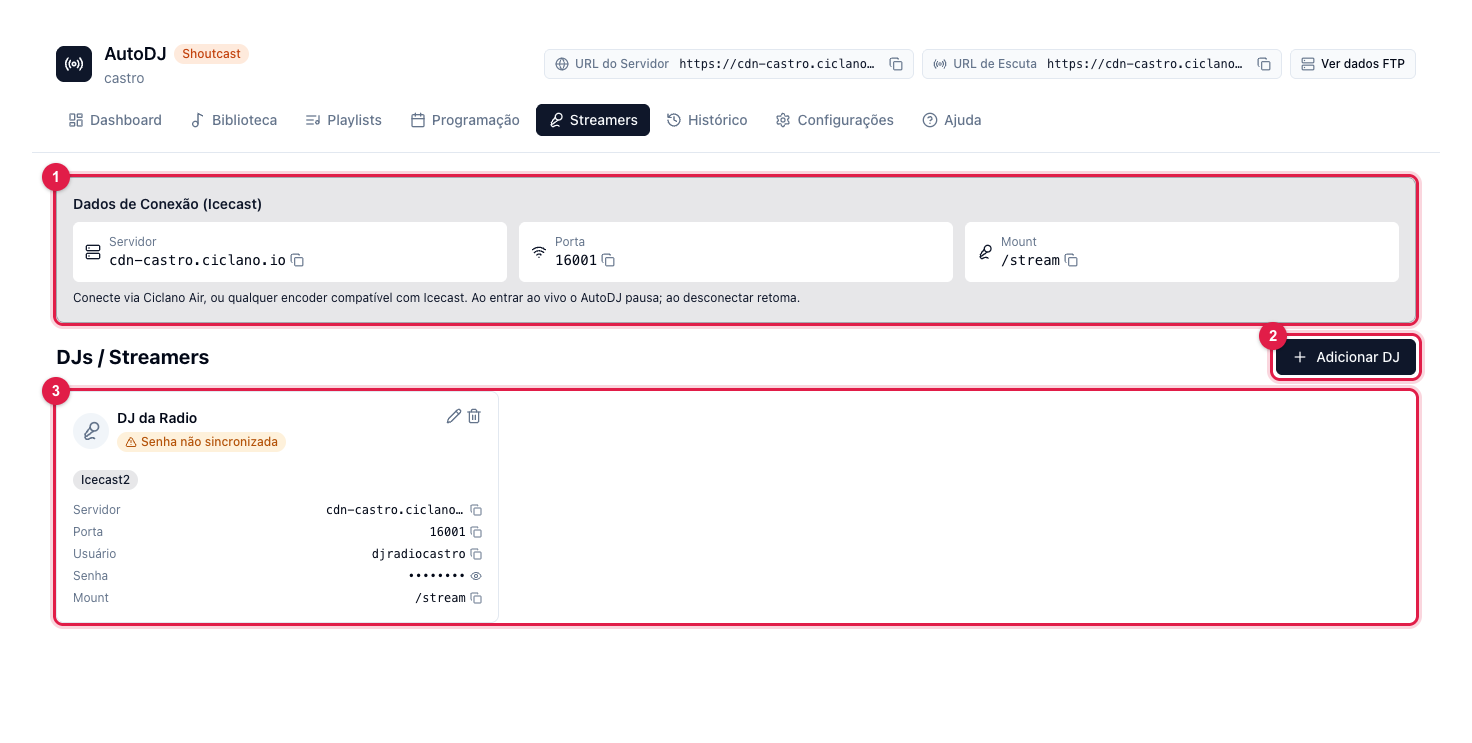
The numbers in parentheses refer to the image.
1. Create the DJ
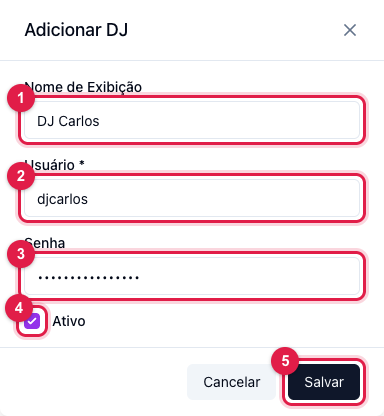
- In AutoDJ › Streamers, click Add DJ (2 in the first image).
- Display Name (1): how it shows in the panel. User (2): the login that goes in the encoder (no spaces). Password (3): the encoder password — not the panel password.
- Leave Active (4) checked and click Save (5).
2. Set up the encoder
The Connection Details (Icecast) card (1 in the first image) has Server, Port (AutoDJ's harbor port, different from the radio's port) and Mount. The User and Password are the DJ's, on their card (3). Use them in Ciclano Air, our encoder, or in any Icecast-compatible encoder: the server type is Icecast.
3. Go live
Click connect in the encoder. In seconds the AutoDJ Dashboard shows Live DJ with the streamer's name, and the radio starts broadcasting what comes from your microphone. To end, disconnect the encoder: AutoDJ comes back on its own, from where the schedule would be.
Tips
- One user per person. That way you deactivate the DJ who left without changing the others' password.
- If Password not synced shows on the DJ's card (3), their encoder will not be able to log in: edit the DJ (pencil icon) and type the password again.
- Commercials and the time announcement do not come in during the live; the schedule resumes when the DJ leaves.
What to do if…
- The encoder does not connect. Check the port (the harbor one, not the radio's), the DJ's user and password, and that the DJ is Active. Fix a Password not synced before testing again.
- It connected, but AutoDJ keeps playing. Wait a few seconds; if it persists, the encoder may be pointing to the radio's port instead of the harbor port.
- I disconnected and the radio went silent. Check on the Dashboard whether the engine went back to Running; if not, click Start.