My subscriptions: plan, due date and invoices of each radio
In My Subscriptions you see each contracted service: plan, status, linked radio, next due date and amount, last invoice, and the full record with that service's invoices.
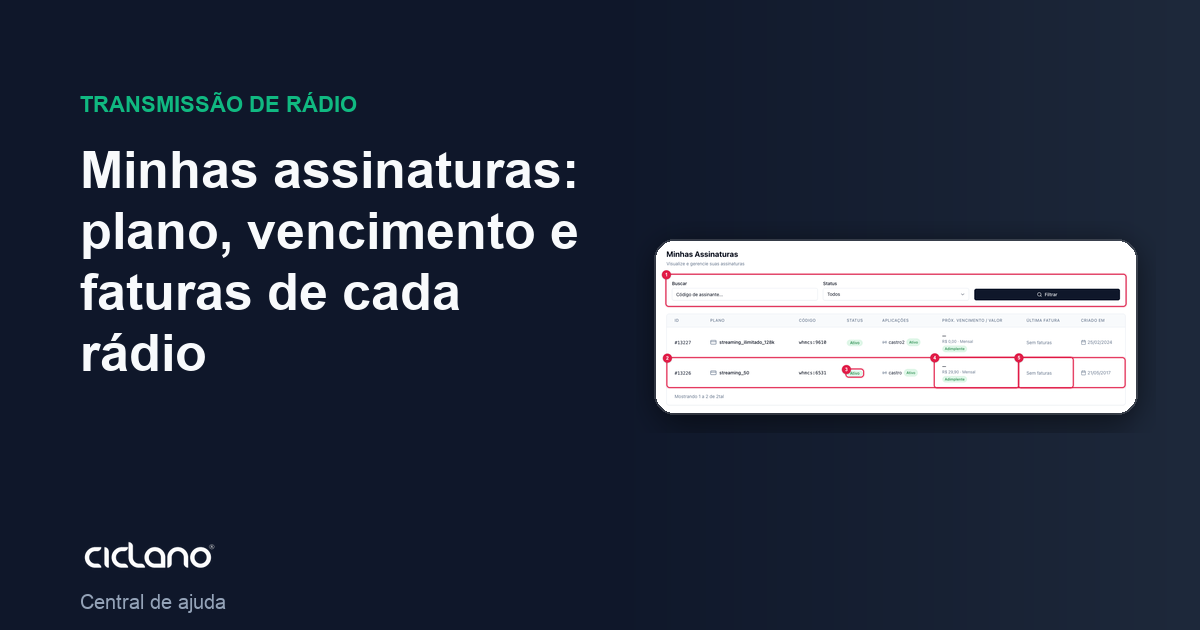
Each radio on your account is linked to a subscription: the contracted plan, the amount, the cycle and the invoices. The My Subscriptions screen lists them all; each one's record shows the details. It is read-only — changing plan, cancelling or changing the payment method is done through support.
Where it is: menu under your name (top-right corner) › My Subscriptions.
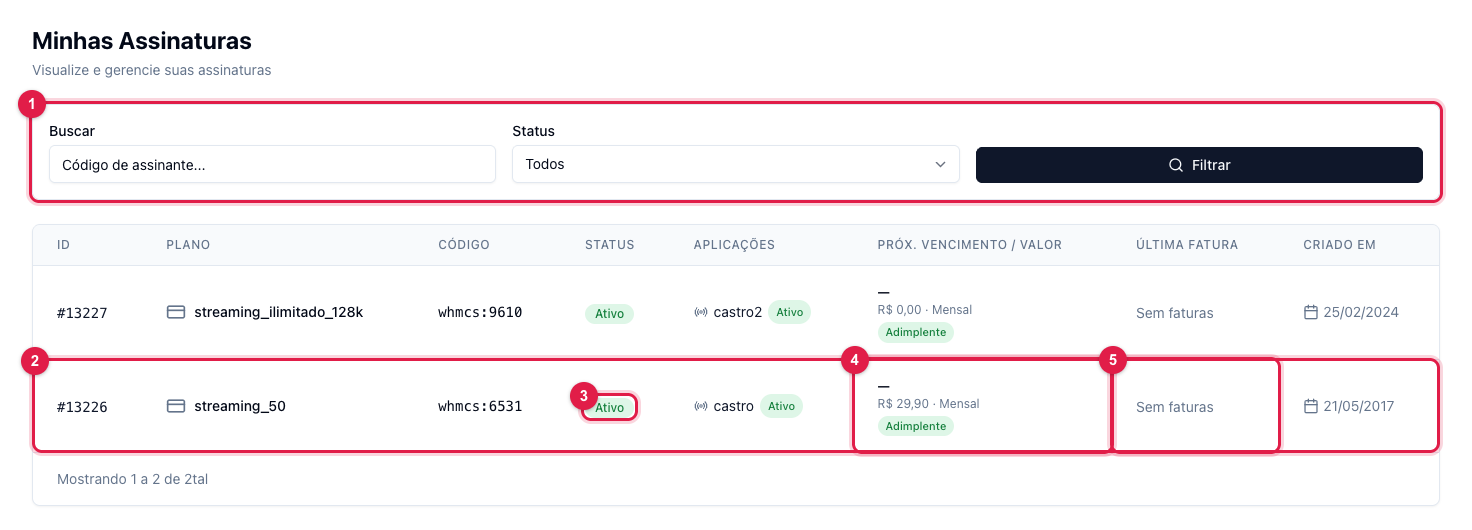
The numbers in parentheses refer to the image.
The list
Each row (2) is a service: the number, the plan, the code, the status (3), the radio linked to it, the next due date and amount (4) with the payment situation (up to date or overdue) and the last invoice (5). The filters (1) search by code and separate by status: Active, Pending, Cancelled, Suspended.
The subscription record
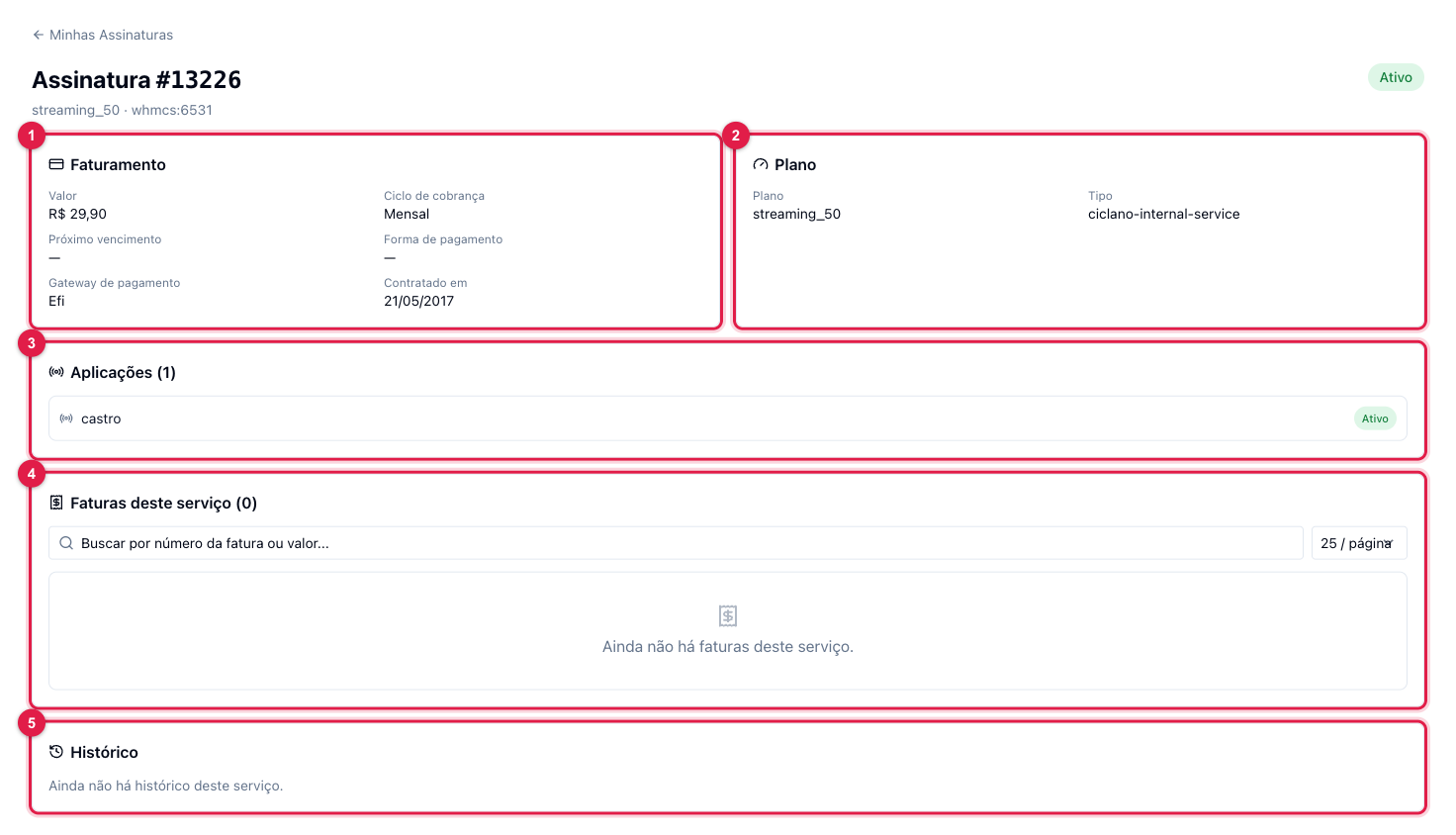
Click the row to open it. Billing (1) gathers amount, cycle, next due date, payment method and gateway and when it was contracted. Plan (2) says which one. Applications (3) shows the radio (or radios) this service keeps. This service's invoices (4) lists only this subscription's invoices, with search and pagination; for all the account's invoices, use My Invoices in the same menu. The History (5) records changes to the subscription.
What to do if…
- The status is Suspended. There is an overdue invoice: pay it in My Invoices and the radio comes back on its own (My radio shows as inactive).
- I want to change plan or due date. Open a ticket in Help & Support stating the desired plan.
- I have two radios and a single invoice. The services may be on a unified invoice; each subscription's record shows its invoices.