Radio links: stream, TuneIn, song feeds and API
The Links & Widgets page gathers all your radio's addresses: the listening links, the files for TuneIn and players (.pls, .asx), the feeds of played songs and the API with the current song. See what each block is for.
Everything that points to your radio — the stream link, the file to register on TuneIn, the feed of played songs, the address that returns the current song — is on a single page: Links & Widgets. Each row has a Copy button and one to open in a new tab. If your radio uses the CDN, all links already come with the CDN domain instead of the server IP (the notice at the top of the page says which).
Where it is: Applications › your radio › Links & Widgets.
Stream Links
The listening addresses: the universal one (recommended), the direct HTTPS and the direct HTTP. Which one to use in each case is in Which radio link to use: universal or direct.
TuneIn Links
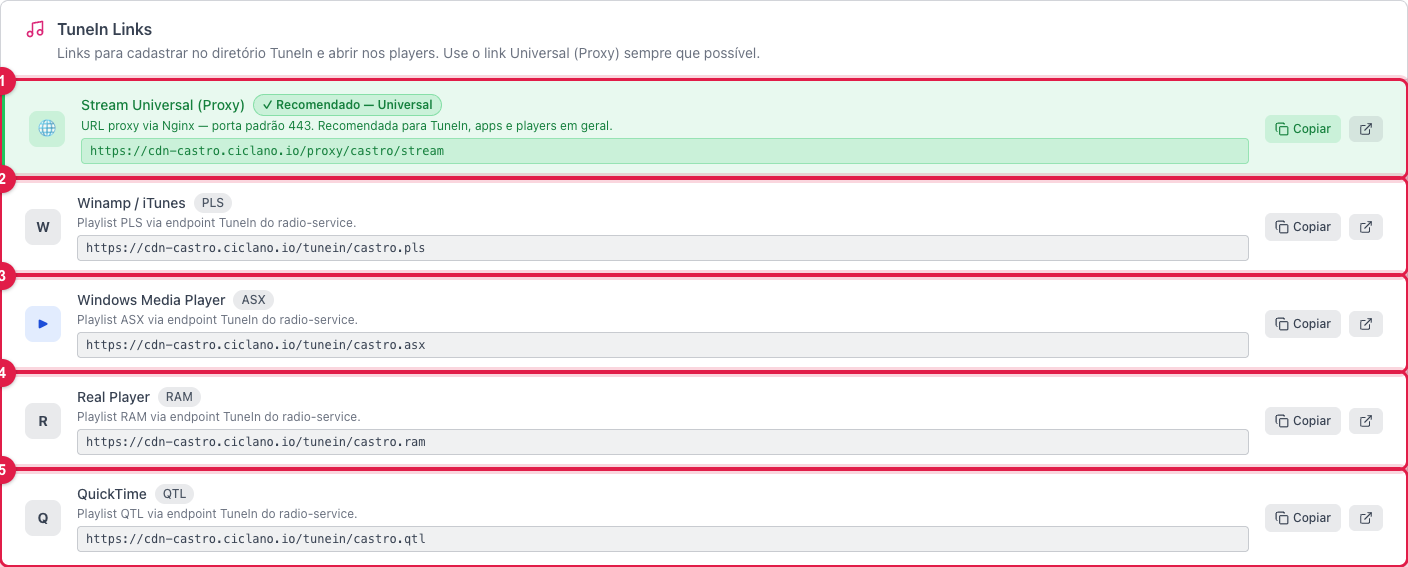
The numbers in parentheses refer to the image.
- Universal Stream (Proxy) (1) — the radio's same universal link, on port 443. It is what you enter when registering on TuneIn and in radio apps in general.
- Winamp / iTunes (.pls) (2), Windows Media Player (.asx) (3), Real Player (.ram) (4) and QuickTime (.qtl) (5) — playlist files that open the radio straight in the program. They serve computer listeners and directories that ask for a ".pls link".
Stream Info and API

Addresses to query, in real time, what the radio is playing: title, artist, listeners and status. JSON (1) is the format for websites and apps; XML (2) brings the same data for older systems. Whoever develops your website or app uses this to show "now playing" outside the panel.
Recent Tracks / Feeds
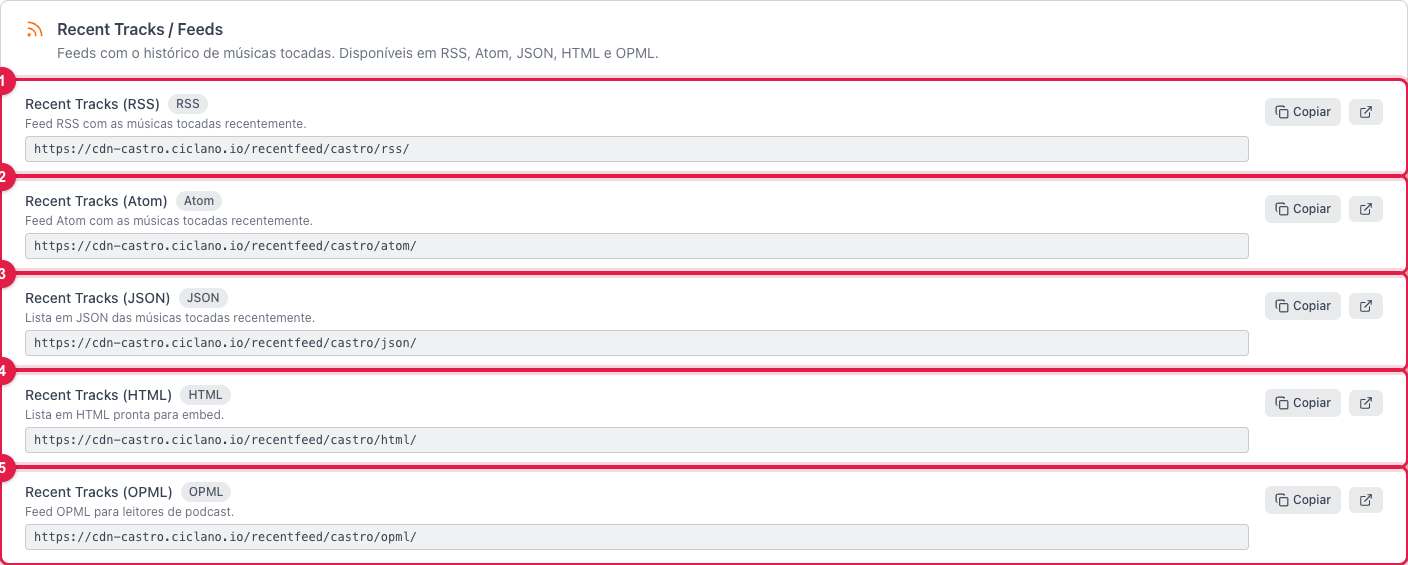
The history of the last songs played, in five formats. RSS (1) and Atom (2) for feed readers and automations; JSON (3) for the developer; HTML (4) is a ready list to paste on the website; OPML (5) for podcast readers.
Widgets and integration
Further down are the ready-made codes to put the player and the radio information on your website. They are explained in How to embed the radio player on your website.
What to do if…
- TuneIn rejected the link. Use the Universal Stream (1), with https. If they ask for a .pls file, use (2).
- The feed comes empty. The song history depends on the title the encoder or AutoDJ sends; check in Now Playing on the Home screen whether the title is arriving.
- The links show an IP instead of the domain. The CDN is not active for your radio; contact support.