Where to find the RTMP server and the stream key of my live
The RTMP server, the stream key, the user and the password are on the application's Home screen, under the RTMP button. See what each field is, when user and password are needed and how to copy without mistakes.
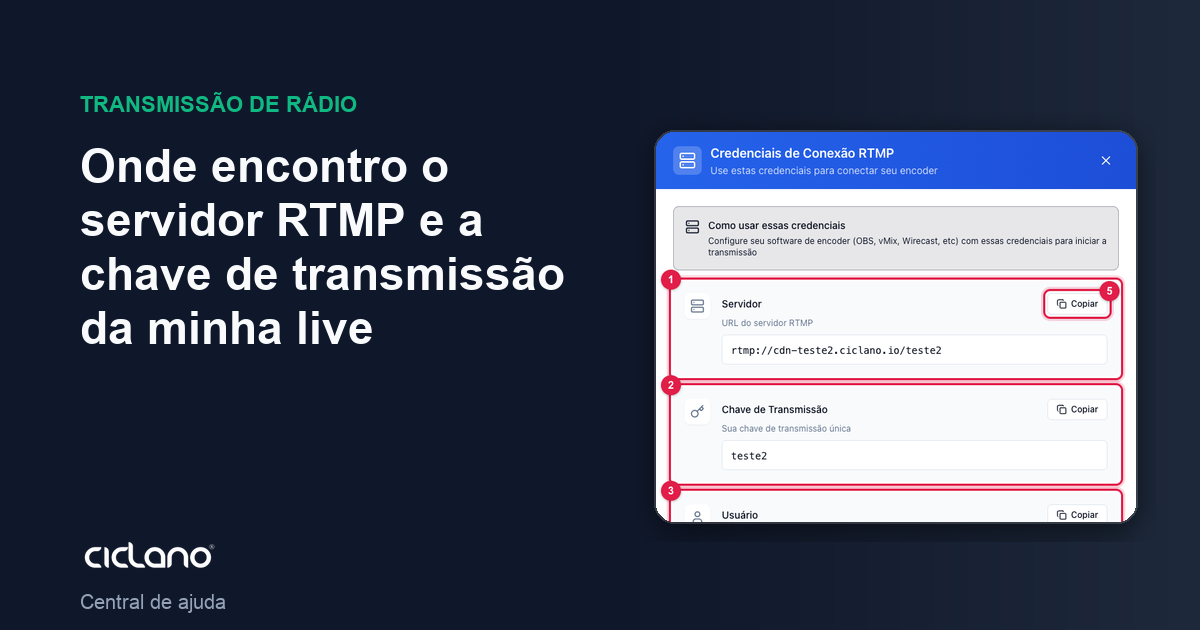
Every encoder (OBS, vMix, Wirecast, Streamlabs, RTMP cameras and cards) asks for the same thing: where to send (the server) and which broadcast this is (the key). Both come from the panel and do not change from one live to the next.
Where it is: Applications › your video application › Home › RTMP button.
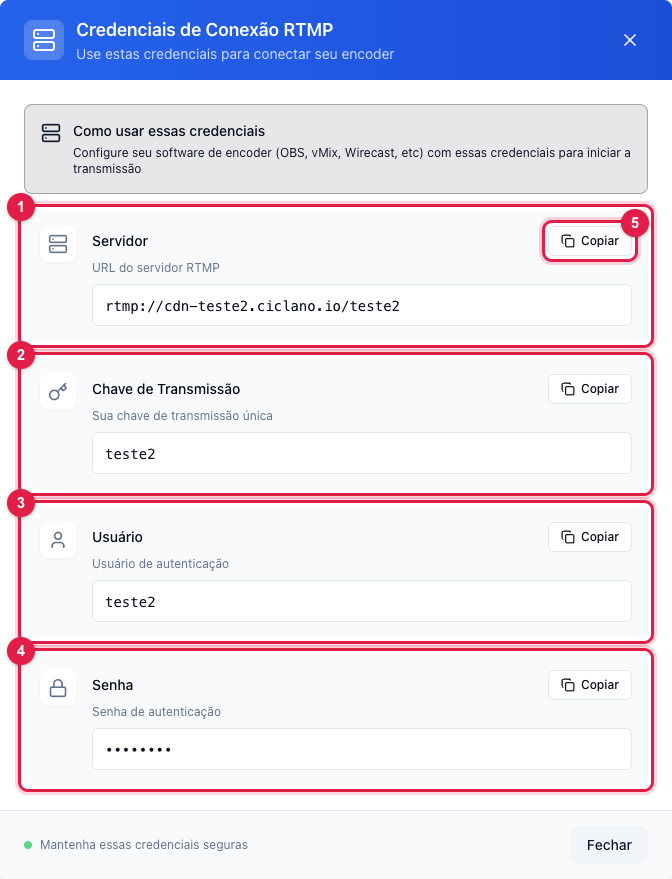
The numbers in parentheses refer to the image.
What each field is
- Server (1) — your application's RTMP address, in the form
rtmp://cdn-NAME.ciclano.io/NAME. In OBS it goes in Settings › Stream › Server, with the Custom service. - Stream Key (2) — identifies your broadcast inside the server. In OBS it goes in Stream Key. Treat it as a password: whoever has server + key can broadcast in your place.
- User (3) and Password (4) — only needed if your application requires encoder authentication. In OBS they live under Use authentication. The password never shows on screen; the Copy button (5) copies the value anyway.
Always use Copy (5): typing by hand is the most common cause of "does not connect" (a trailing space, a swapped letter).
The credentials also show in the player
While the broadcast is stopped, the Home screen's own player shows the same four fields, each with Copy — the shortcut for whoever is already on the screen.
Frequently asked questions
- Can I change the key? Not from the panel. If it leaked, contact support to change it.
- Can I use the same key in two encoders? Not at the same time: the second one kicks the first. For two sources, use Live Studio or two applications.
- RTMPS? The application address is
rtmp://. If your encoder only accepts RTMPS, contact support.