How to embed the live player on your website (M3U8 link and JavaScript)
The Home screen offers two ready links: the M3U8 (HLS), for any video player or app, and the JavaScript Player, a code you paste on the site that shows the Ciclano player with your live. See how to use each one.
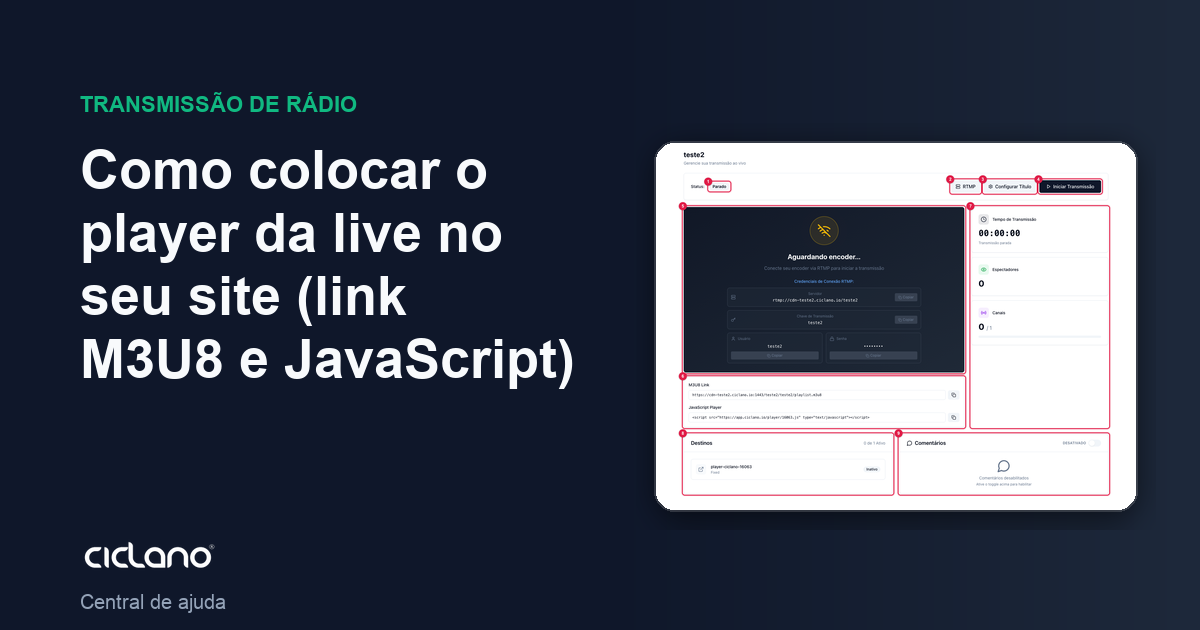
Besides the social networks, your live has its own player, with no ads or algorithm, which you put on your website, in your app or on a TV. The Home screen gives both formats.
Where it is: Applications › your video application › Home, below the player.
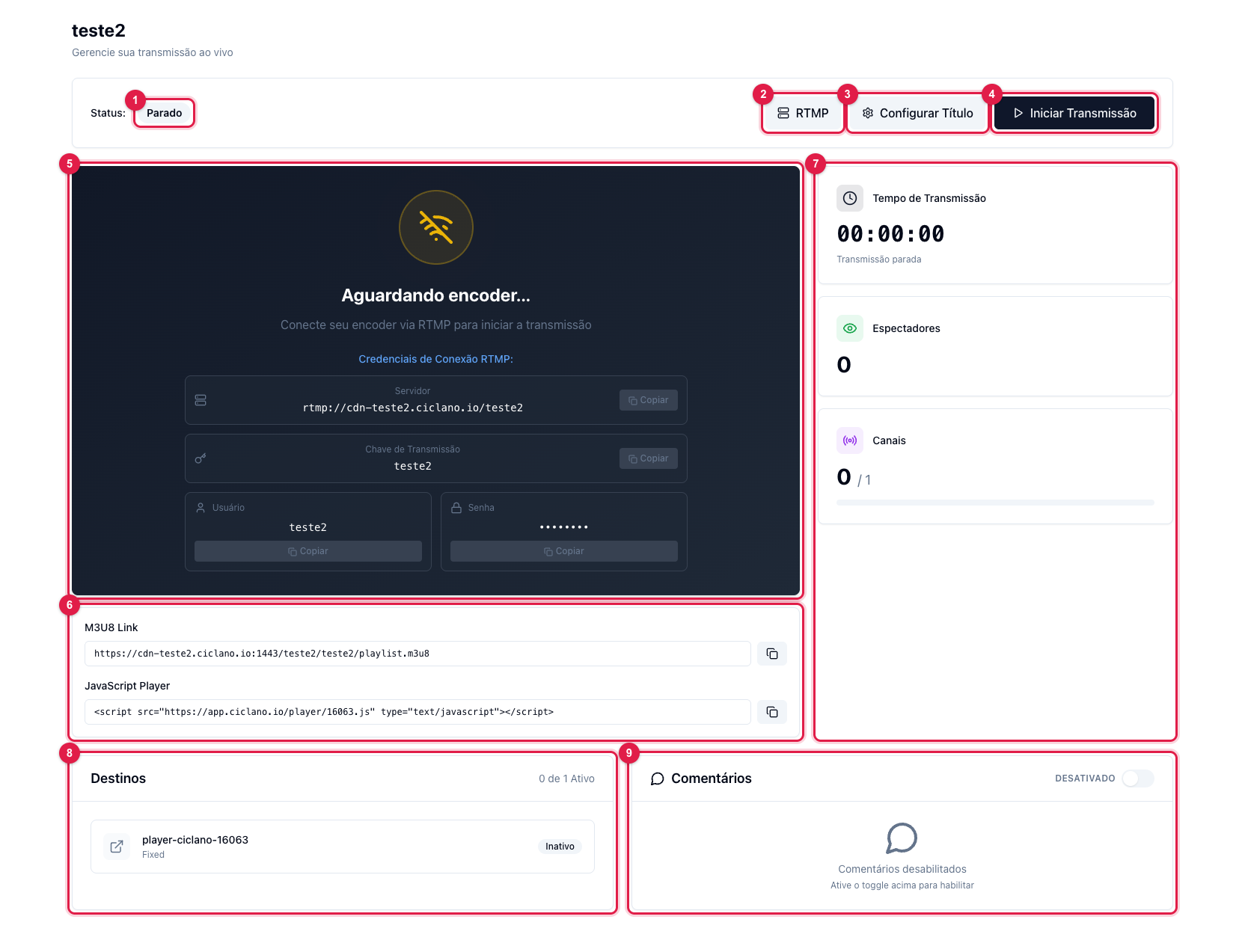
The numbers in parentheses refer to the image.
JavaScript Player (the simplest)
Copy the JavaScript Player code (6) — one line <script src="…/player/ID.js"> — and paste it into the page's HTML, where the player should appear. It loads the Ciclano player with your live, adjusts to the width of the space and shows the "off air" message when there is no broadcast. It works in WordPress (custom HTML block), Wix (code embed), Webflow and any site that accepts HTML.
M3U8 Link (for players and apps)
The M3U8 Link (6) is the live's HLS address, in the form https://cdn-NAME.ciclano.io:1443/NAME/NAME/playlist.m3u8. Use it when you have your own player: VLC, a TV or mobile app, a website video player (Video.js, JW Player, Plyr), a Smart TV or a site that asks for a "stream URL". It is the same video, with the same few seconds of delay.
Tips
- The links are fixed: the same URL serves all your lives, no need to change it on the site for each broadcast.
- When there is no broadcast, the M3U8 responds empty or with an error — that is expected; the JavaScript Player handles it by itself.
- The player's audience counts toward Viewers on the Home screen and in the history in Statistics, as the "Ciclano Player" source.
- With custom RTMP you can send the same live to another server, if you need a player on another infrastructure.