How to stop, start and restart your radio's port
The Stop, Start and Restart buttons on the Home screen act on the radio's server, not on AutoDJ. See what each one does, what the listener notices and when the panel asks for a restart.
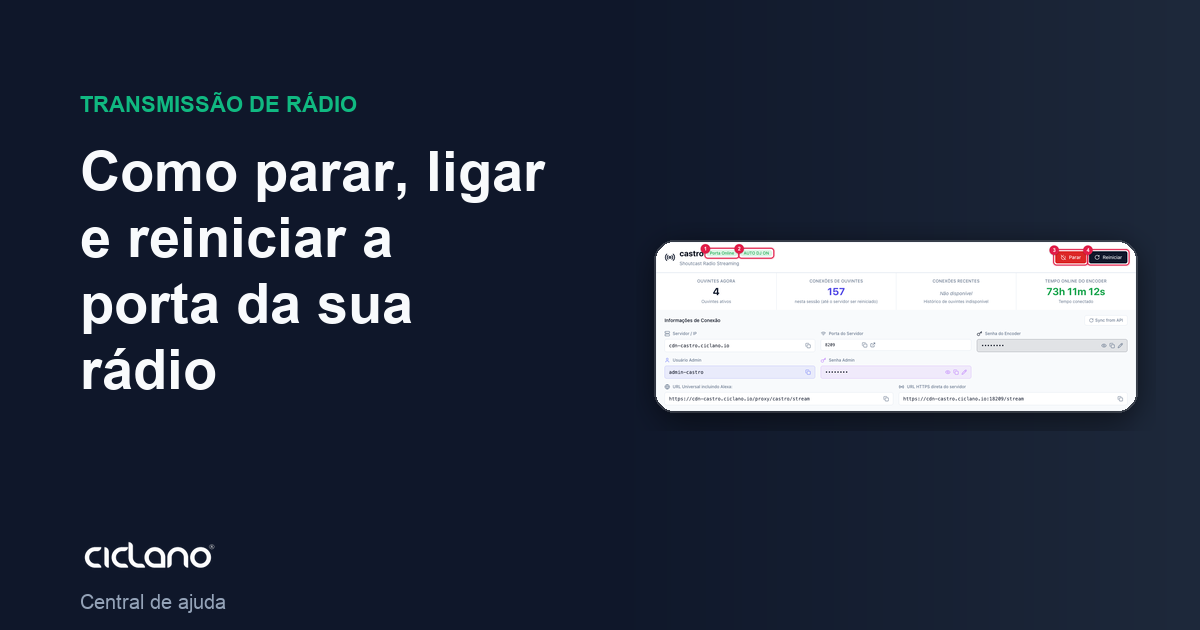
The port is the server that delivers your radio's audio to listeners. The buttons at the top of the Home screen turn that server on, off and restart it. They are different from the AutoDJ buttons: AutoDJ is what generates the audio; the port is what distributes it.
Where it is: Applications › your radio › Home.
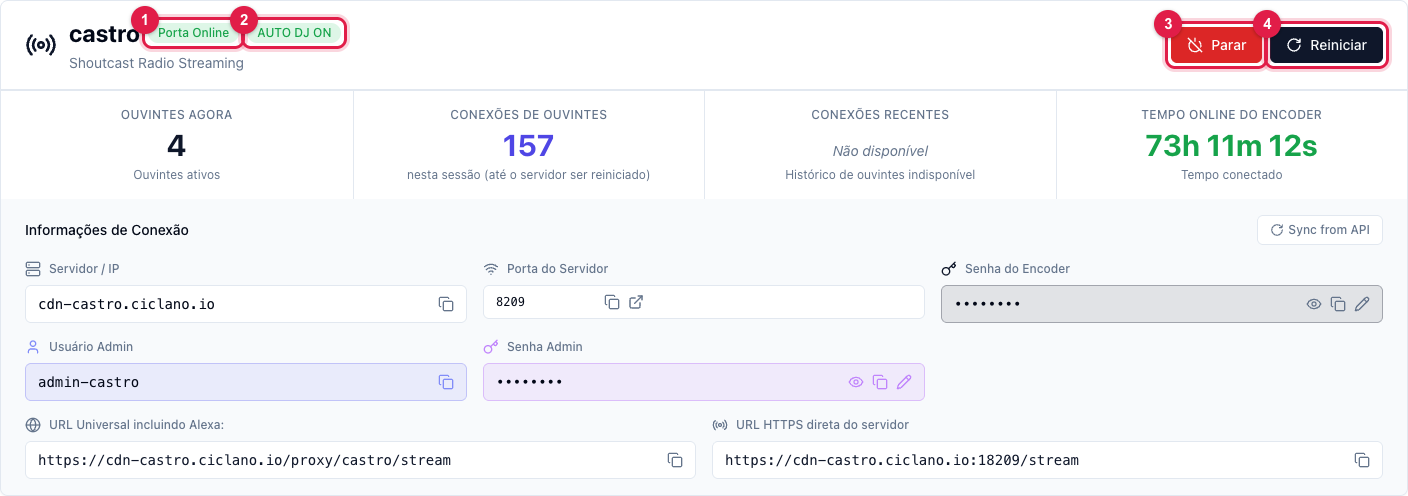
The numbers in parentheses refer to the image.
What each button does
- Stop (3) — turns the port off. Every listener drops right away and the radio disappears from the air until you turn it on again. There is no confirmation: the click executes. Use it only when you want to take the radio off air on purpose.
- Start — appears in place of Stop when the port is off. It turns the server on; in a few seconds the badge (1) goes back to Port Online and AutoDJ (if enabled) resumes on its own.
- Restart (4) — turns off and on right after. Listeners drop for a few seconds and the players reconnect on their own. It is the button for applying changes that require a restart and for "unlocking" a server that stopped responding.
While a command runs, the buttons are disabled and the panel shows the result in a message at the top ("Port restarted successfully" or the error the server returned).
When the panel asks for a restart
When changing the encoder password or the admin password, the server only accepts the new password after a restart. The panel opens the Restart required window asking "Restart now?": click Restart to apply right away, or Later to restart at a better time (the old password keeps working until then). See Encoder connection details.
What happens to the counters
The Listener connections card counts "in this session": restarting the port resets that number. The history in Statistics is not affected.
What to do if…
- I clicked Start and the badge still says "Port Offline". Wait up to a minute: the panel confirms the status over several readings before changing the badge. If it does not come up, see the error message at the top and open a ticket with it.
- I restarted and the radio went silent. The port came back, but the audio source did not: check badge (2). If it is AutoDJ, go to AutoDJ › Dashboard and click Start (see how); if it is an encoder, reconnect it.
- Listeners complained it dropped. Every Stop and every Restart drops whoever is listening. Do it at a low-audience time.